Ask Claude or ChatGPT about your cloud bill
You have connected an AI assistant to CloudYali and want to know what to ask it. This guide walks through three everyday jobs, with prompts in the order that gives the best answers.
You will use: AI assistants (MCP) Time: 5 minutes per job, once the assistant is connected
If you have not connected one yet, add https://mcp.cloudyali.io/mcp to Claude, ChatGPT, Cursor or
another MCP client and approve it; see Connect an AI assistant. The assistant
can read your CloudYali data and cannot change anything.
Job 1: the morning check
Start the day with one prompt:
"Using CloudYali, any cost anomalies in the last seven days? And how are we tracking against our budgets?"
Starting with "Using CloudYali" keeps the assistant on your data when it has other tools. Follow up in the same chat:
"Which budgets are over 80%?"
Job 2: explain a jump
Someone asks why last month cost more. Narrow it down one step at a time:
- "Compare this month's spend to last month. What changed?"
- "Break down last month's AWS bill by service." Name the provider to keep the answer to it.
- "What can I filter cost by, and what values do we have?" Ask for the exact account and service names before you filter, so the assistant does not guess them.
- "Which resources are behind the EC2 increase?"
- "What did instance i-0613b22d2b8660ca5 cost last month?"
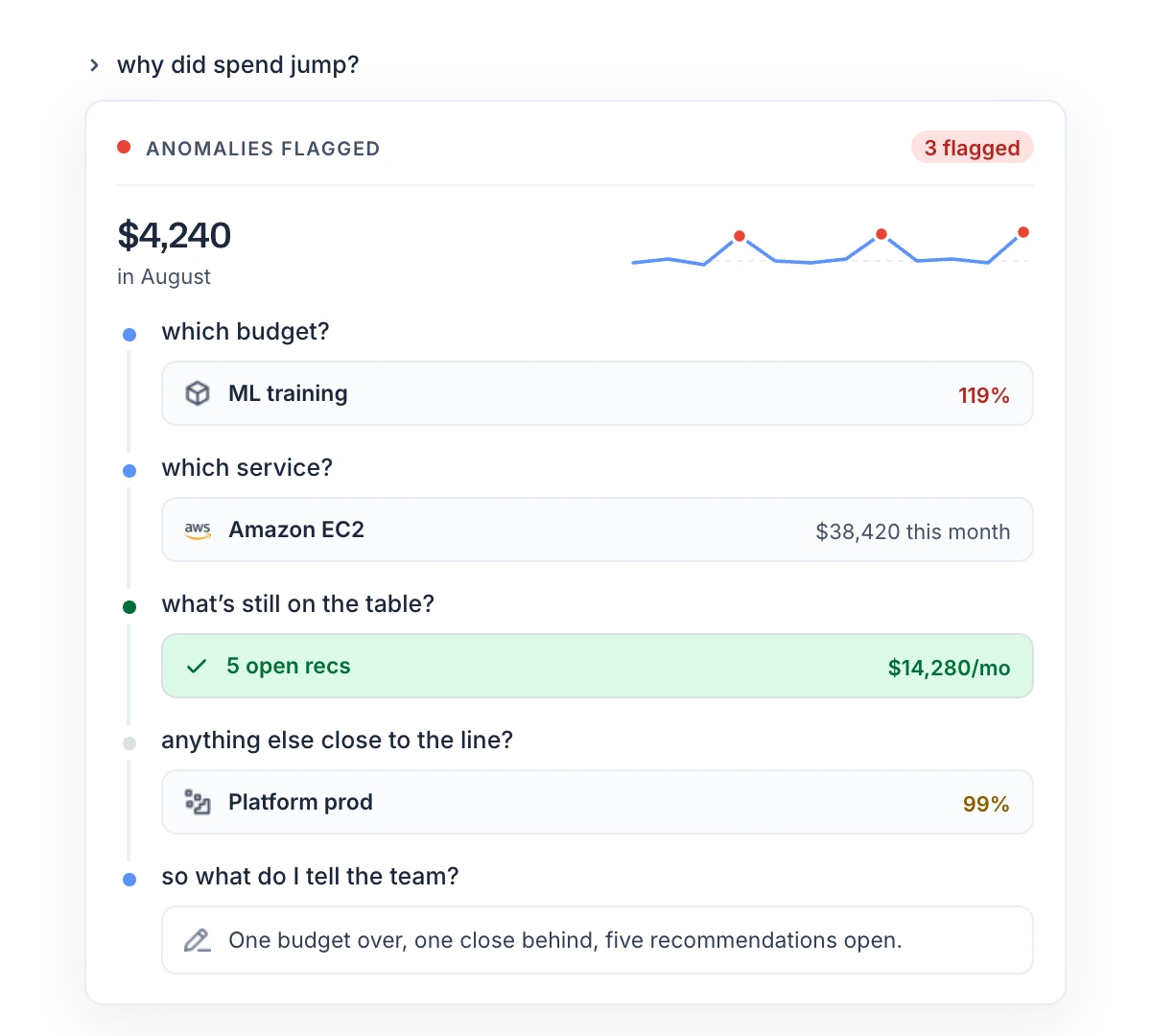
The assistant reads costs for any dates in the last seven months, and cannot read an anomaly's root cause. For the root cause, open the anomaly in Cost Anomalies.
Job 3: the month-end summary
One request can draw on spend, budgets, anomalies and savings:
"Pull last month's spend, budgets, anomalies and open savings, and build a one-page review for the leadership team."
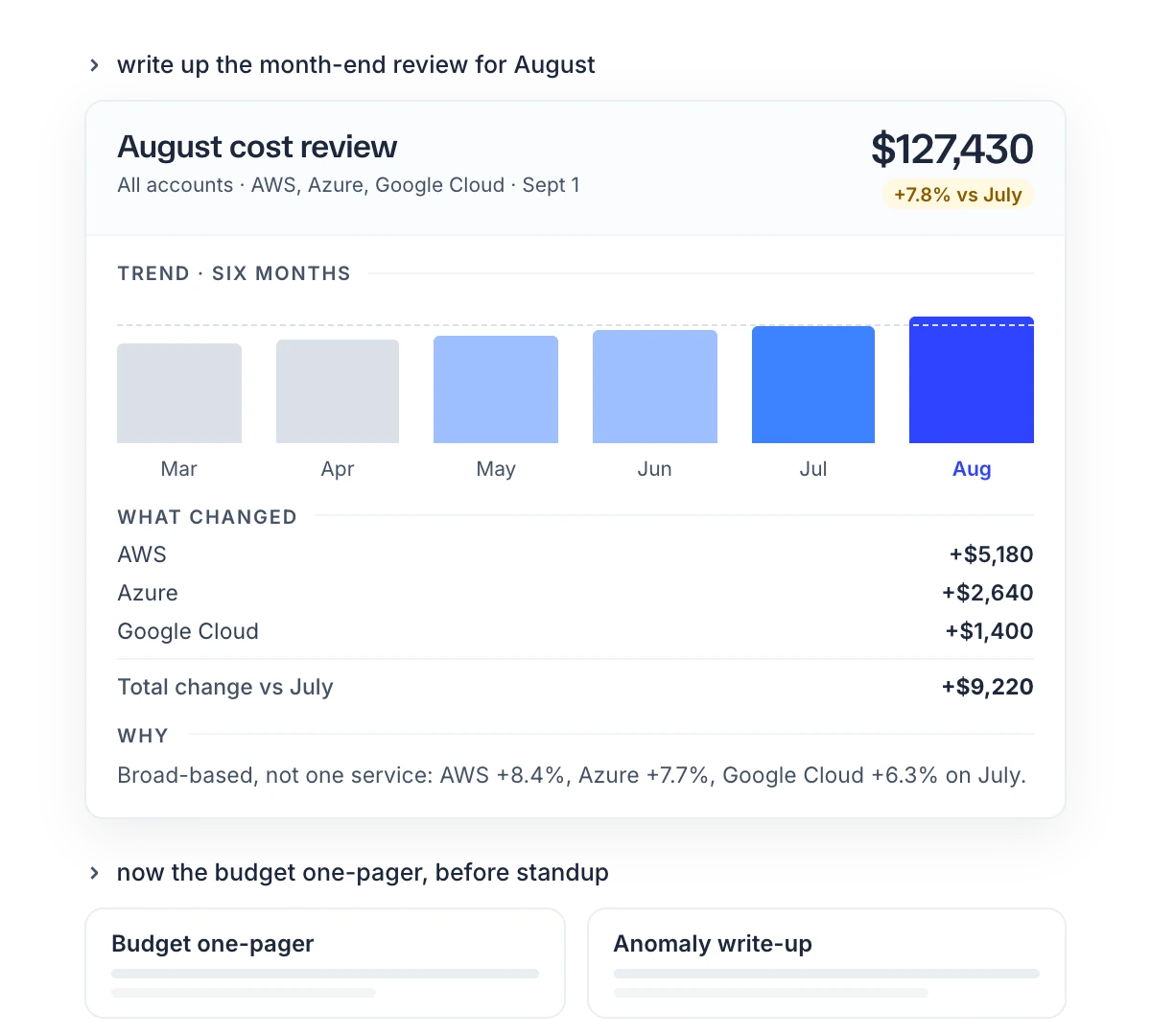
Then ask for the actions:
"What are our top five savings opportunities right now, with effort and risk?"
Check before you share
- Ask which filters it used. An empty answer can mean no cost or a filter that matched nothing.
- Compare one figure with the console. The data is the console's, but the assistant picks the dates, grouping and cost type, so its total can differ from what you see in Cost Explorer.
- Give dates. Without them the assistant uses 30 days for most cost questions and 90 days for anomalies.
What you have now
- A morning check in one prompt.
- A way to trace a cost jump down to a resource, step by step.
- A month-end summary to edit rather than build.