AI assistants (MCP)
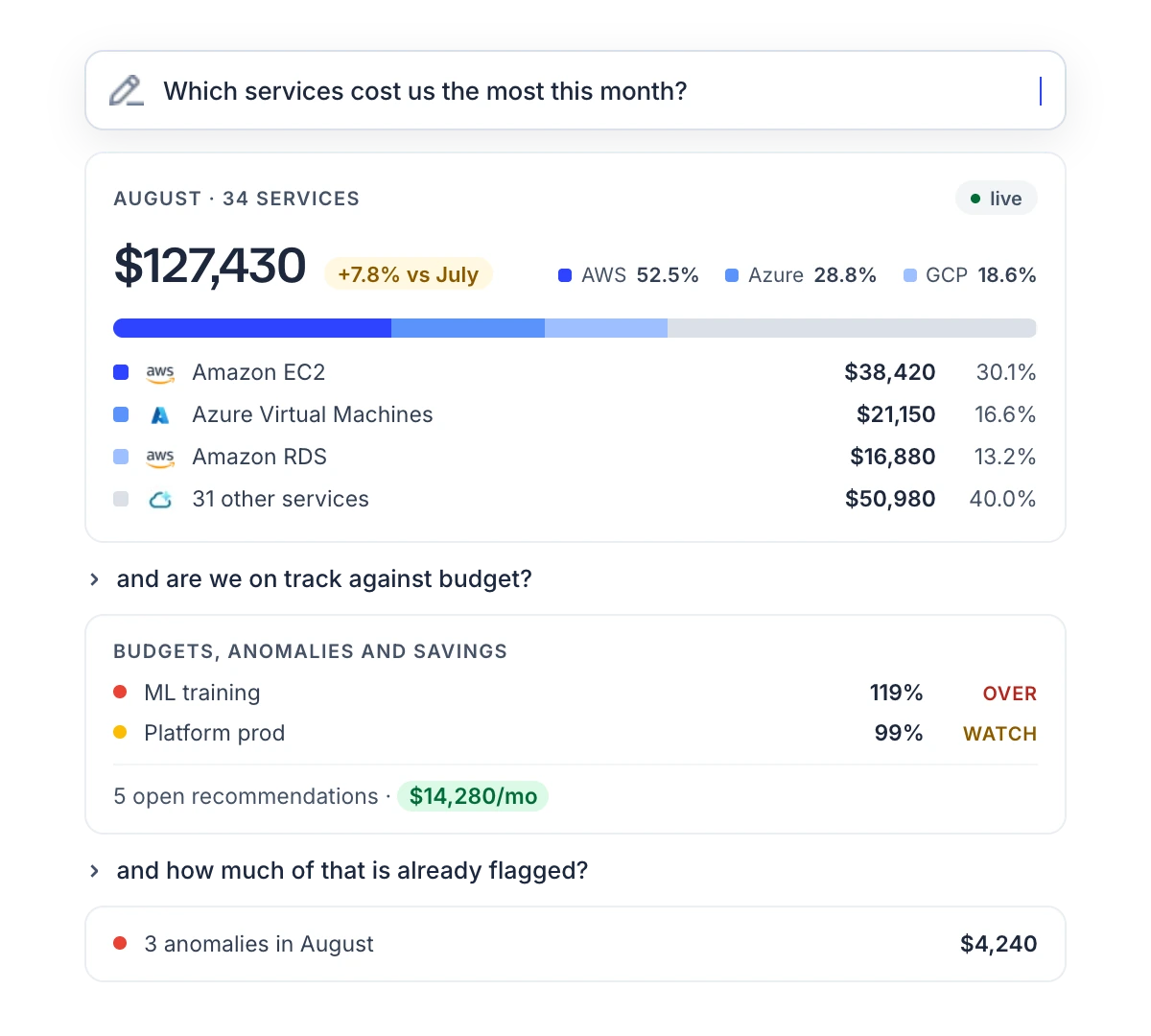
The CloudYali MCP server lets an AI assistant answer questions about your cloud and AI spend from your
CloudYali data. Add https://mcp.cloudyali.io/mcp to Claude, ChatGPT, Cursor or another assistant
that supports the Model Context Protocol (MCP), sign in to CloudYali and approve the connection. The
assistant can then read your costs, budgets, savings opportunities, anomalies, tags and resources. It
cannot change anything.
Summary
| Server URL | https://mcp.cloudyali.io/mcp |
| Install | Nothing. CloudYali runs the server |
| Sign-in | Your CloudYali console sign-in, with multi-factor authentication if you use it |
| Access | Read-only, with the permissions of the user who approved the connection |
| Connection length | Up to 45 minutes from approval, then you approve again |
| Request limit | About one request a second for your organization (60 a minute, with short bursts), shared by all its connections |
What the assistant can read
| Area | What it reads |
|---|---|
| Cost | Total spend and the change from the previous period; costs grouped by account, service, region, cloud provider, cost type or usage type; the filter values your accounts have |
| Cost Views | The built-in views, their results, and the resources behind a view's total |
| Budgets | Budgets with their spend and a count by status. For one budget: spend over the last 90 days and the resources behind it |
| Savings | Savings opportunities with their amounts, effort and risk, and totals by status and category |
| Anomalies | Anomalies with expected cost, actual cost and impact, and a summary |
| Resources | Resource Inventory: resources, search, counts by provider and type, cost per resource, and configuration history |
| Tags | Tag keys and values, tagged and untagged spend, spend by tag, misspelled tag keys, and your standard tags |
The assistant cannot look up a budget's ID. To ask about one budget, give the number at the end of the
budget's page address in the console, for example …/planning/budgets/12.
The assistant cannot read a budget's alert history or change history, an anomaly's root cause, your anomaly alert settings, or an opportunity's full details or status history. Use the console for those.
Example questions
- "Break down last month's AWS bill by service."
- "How are we tracking against our budgets?"
- "What are our top savings opportunities right now?"
- "Any cost anomalies in the last seven days?"
- "How much of last month's spend is untagged?"
What you can ask has more, grouped by task.
Supported assistants
Any assistant that connects to remote MCP servers over Streamable HTTP with OAuth sign-in works. Setup steps for each one are in Connect an AI assistant.
| Assistant | How you add CloudYali |
|---|---|
| Claude (claude.ai, Claude Desktop, mobile) | Custom connector |
| ChatGPT | Custom connector, in developer mode |
| Claude Code | claude mcp add --transport http |
| Codex CLI | ~/.codex/config.toml |
| Cursor | mcp.json |
| VS Code (GitHub Copilot) | .vscode/mcp.json |
| Windsurf | mcp_config.json |
| Gemini CLI | ~/.gemini/settings.json |
| Assistants that run only local servers | The mcp-remote bridge |
Assistants that run in a browser can connect from claude.ai, chatgpt.com, www.cursor.com and vscode.dev. Desktop and command-line assistants are not limited.
Reports from several areas
The assistant receives data, not charts, and can combine several areas in one answer.
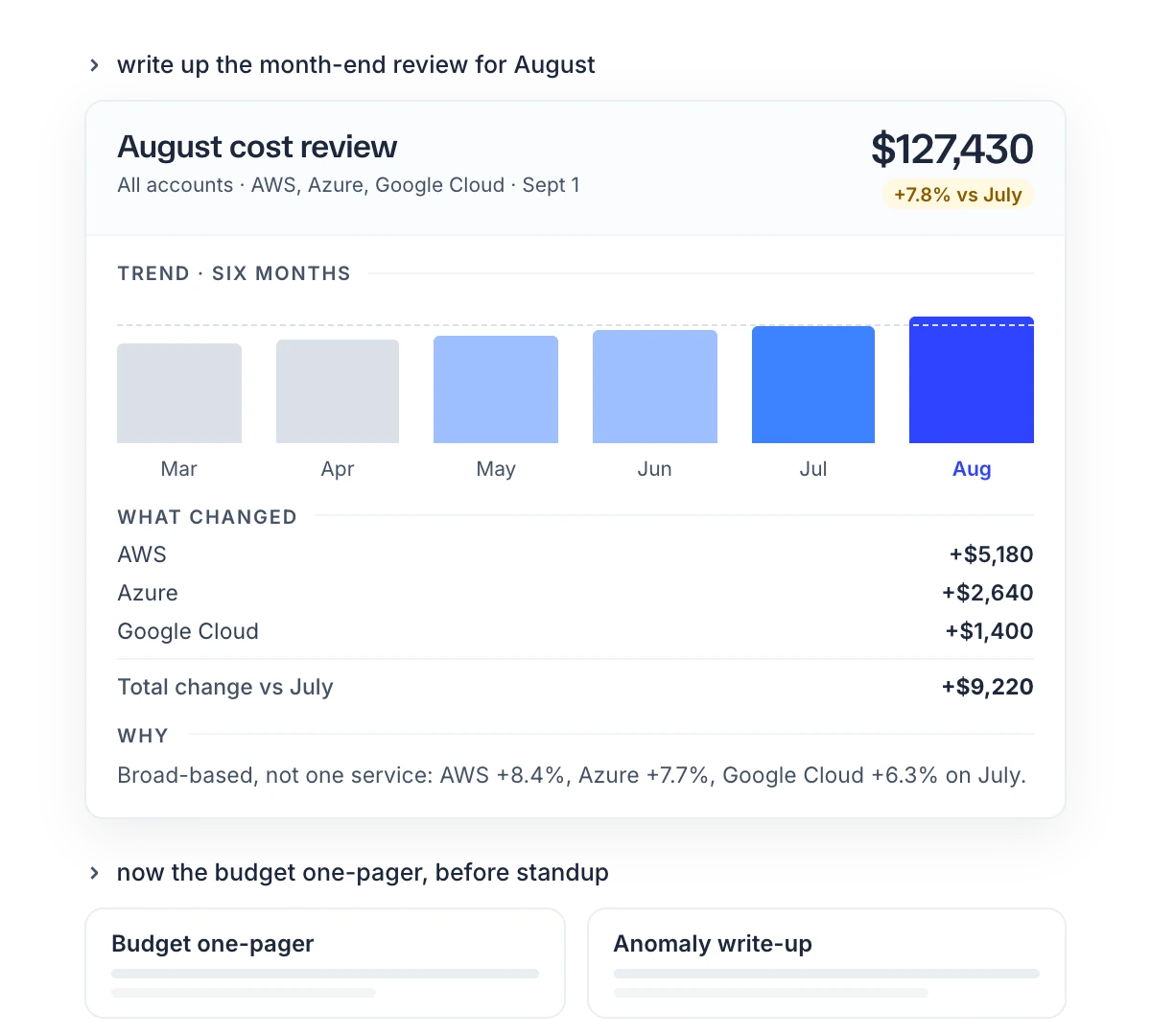
- "Pull August spend, budgets, anomalies and open savings, and build a review for the leadership team."
- "Show budget burn as of today, worst first, and flag anything over 90%."
Limits
- No changes. The assistant cannot create or edit budgets, change an opportunity's status, edit tags, change settings, or call AWS, Microsoft Azure or Google Cloud.
- Your permissions only. The assistant reads only what the approving user can read in the console.
- 45-minute connections. Within 45 minutes of approval the connection ends, and your assistant asks you to reconnect.
- Shared request limit. Above about one request a second across your organization, the assistant is told it was rate-limited and to wait about a minute.
- Empty results. A filter that matches nothing and a period with no cost both return nothing. Ask the assistant which filters it used.
- Filters a provider does not support. Some filters do not apply to every provider, such as region for Anthropic. The answer then covers that provider's whole spend, and the assistant is warned.
- The assistant's choices. The data is the console's, but the assistant picks the dates, grouping and cost type. Check figures before you share them.