Navigate the console
The CloudYali console's left navigation groups pages into Cost Management, Cost Allocation and Financial Planning. Integrations and Settings sit at the bottom.
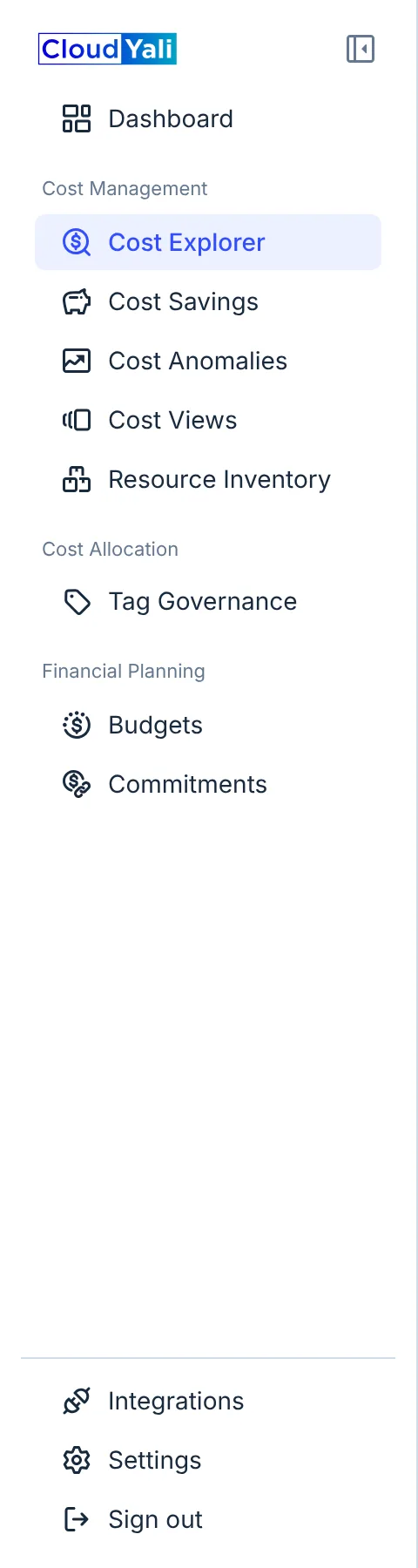
- Dashboard
- Cost Management
- Cost Allocation
- Financial Planning
- Integrations and Settings
What each group is for
| # | Group | Rows | Use it to |
|---|---|---|---|
| 1 | (top) | Dashboard | See spend, anomalies, open savings, resources and budgets on one page |
| 2 | Cost Management | Cost Explorer, Cost Savings, Cost Anomalies, Cost Views, Resource Inventory | See what you spend, find what changed, and act on savings |
| 3 | Cost Allocation | Tag Governance | Attribute spend to teams, products and environments through tags |
| 4 | Financial Planning | Budgets, Commitments | Set limits and alerts, and check that Reserved Instances, Savings Plans and committed use discounts pay off |
| 5 | (bottom) | Integrations, Settings, Sign out | Connect clouds and AI tools, and manage who can use CloudYali |
Rows for features your organization does not have are not shown.
Collapse the navigation
To give charts and tables more room, select the collapse icon at the top of the navigation. It shrinks to icons; hover over an icon to see its name. Select the icon again to bring the labels back.
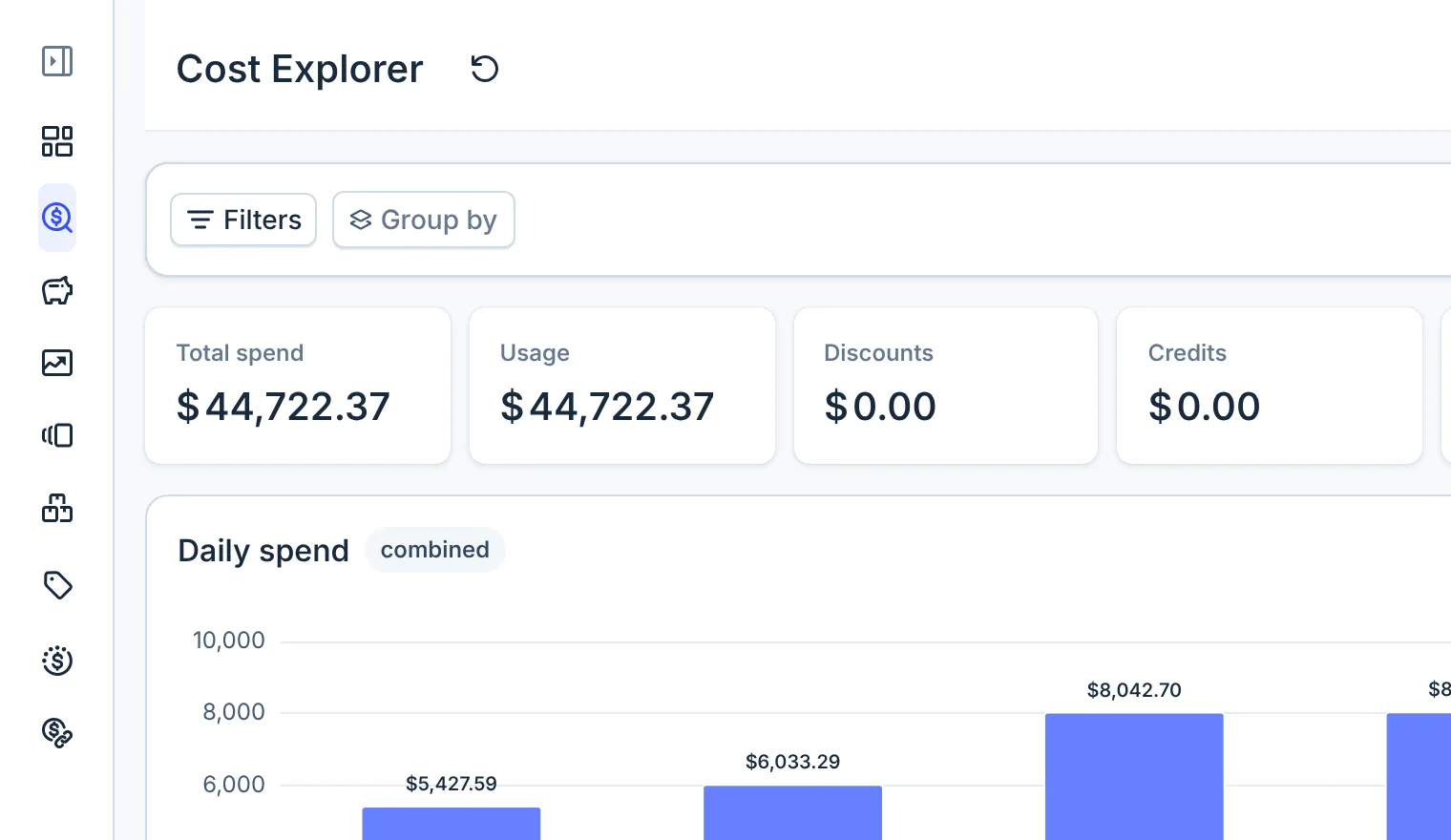
- Expand sidebar
The navigation opens expanded each time you load the console.
Console URLs
Every row has its own URL, so you can bookmark a page or share it with a teammate. A teammate who opens the link signs in and lands on the same page.
| Page | URL |
|---|---|
| Dashboard | /dashboard |
| Cost Explorer | /cost/explorer |
| Cost Savings | /cost/savings |
| Cost Anomalies | /cost/anomalies |
| Cost Views | /cost/views |
| Resource Inventory | /inventory |
| Tag Governance | /tags |
| Budgets | /planning/budgets |
| Commitments | /planning/commitments |
| Integrations | /integrations |
| Settings (user management) | /settings |
Related
Was this page helpful?