Cut idle spend in a week
You have been asked to bring the cloud bill down this quarter, and Cost Savings lists dozens of opportunities. This plan turns that list into changes made and savings recorded in five working days.
You will use: Cost Savings · Cost Explorer Time: About an hour across the week, plus the engineers' time to make the changes
Monday: pick what is worth doing
Open Cost Management → Cost Savings. The table is sorted by Monthly savings, so the top rows are worth the most.
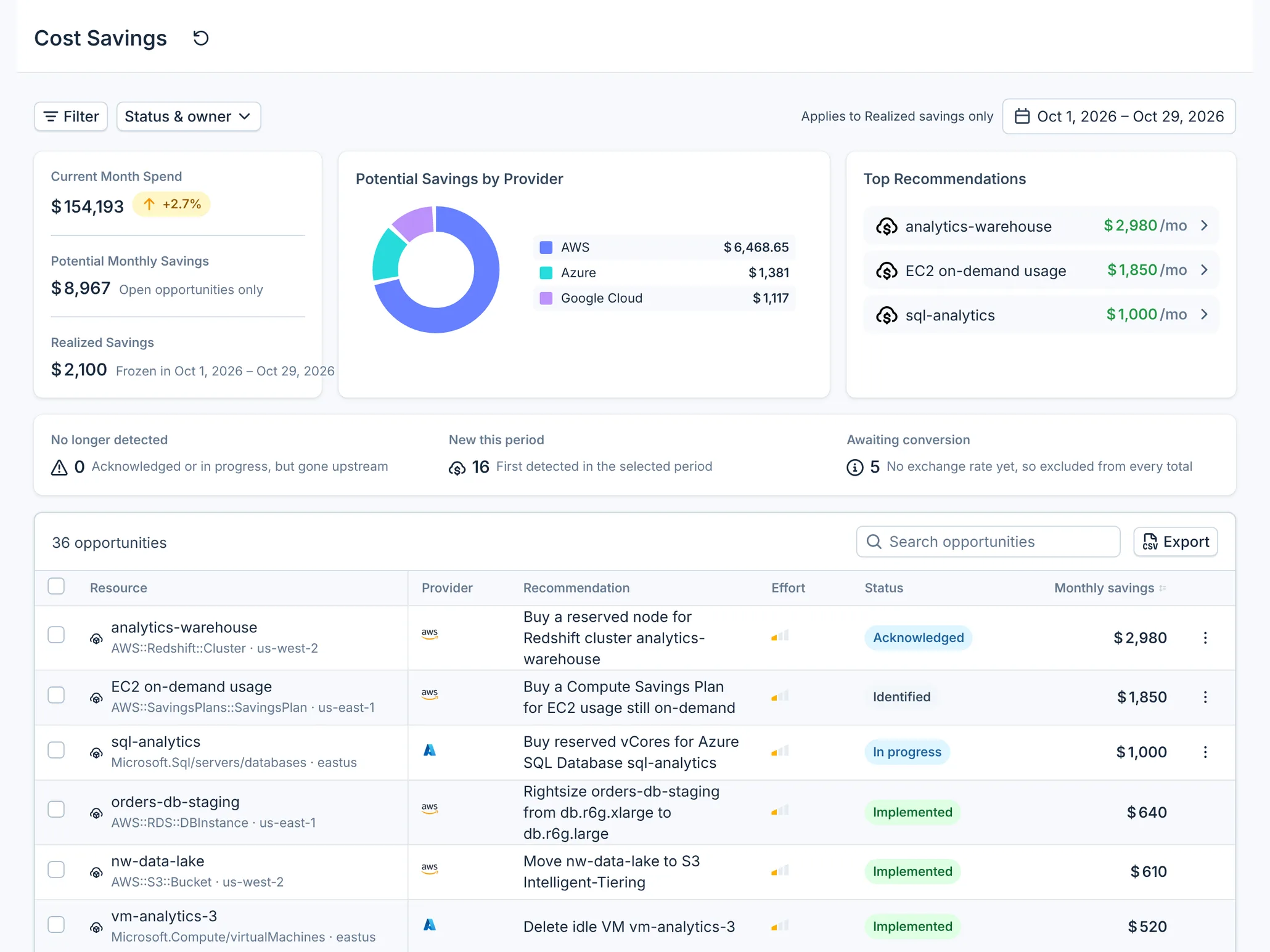
Select Filter and narrow the list to one provider and the Wastage category: idle and unused resources, which are usually the lowest risk to remove. Use risk and effort to keep the first week to easy wins. Open each candidate to read what was found, how the amount was calculated and the remediation runbook.
For every opportunity you will not do, select Ignore. It stays ignored even if the source keeps reporting it, so next week's list is shorter.
Tuesday: hand them out
The console cannot assign an opportunity to a person yet. Select Export to download the filtered list as CSV and send each team its rows. In CloudYali, select Acknowledge on each opportunity you are keeping, so everyone can see it has been picked up.
Wednesday and Thursday: make the changes
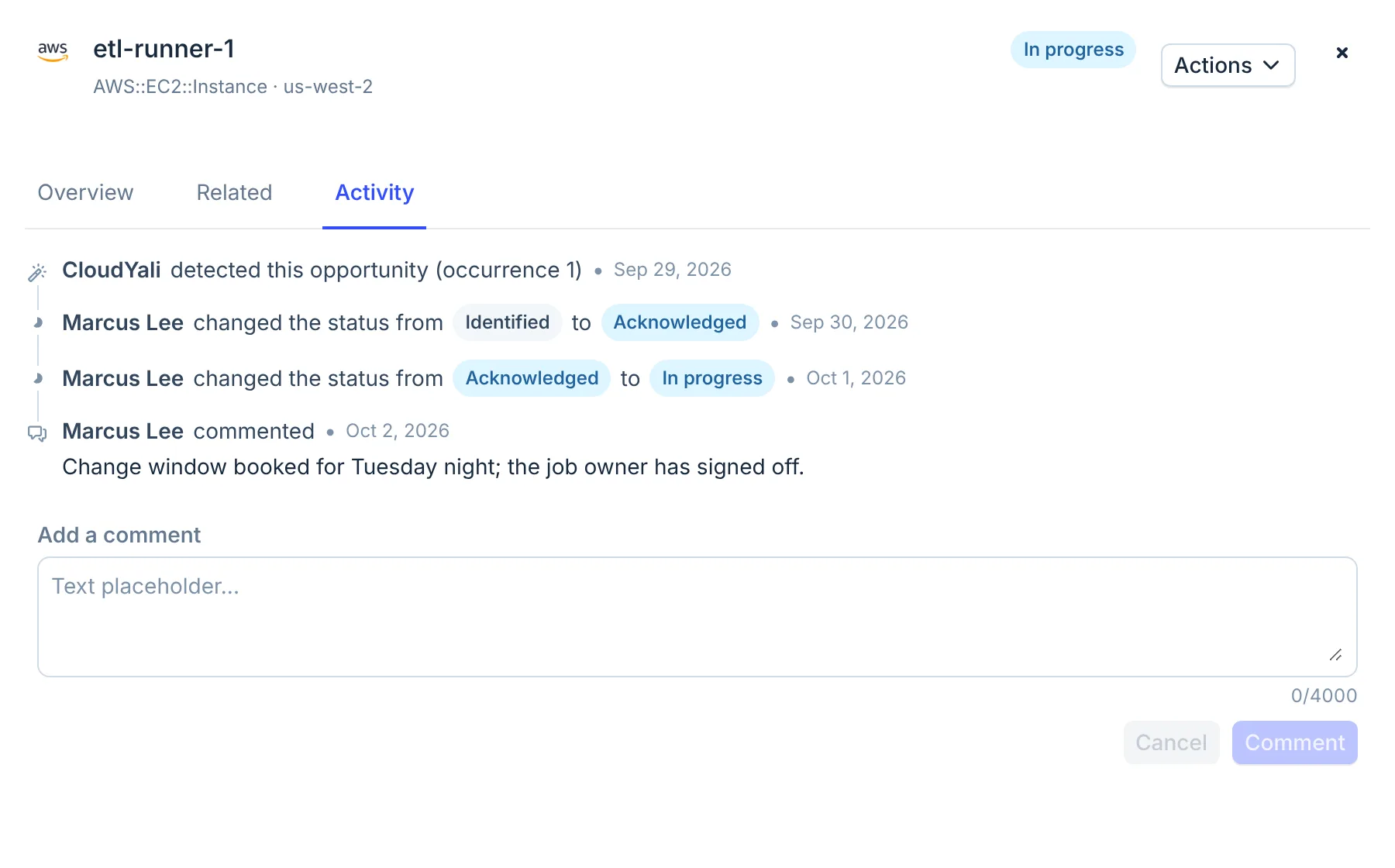
When an engineer starts, select Start work. Use the Activity tab to leave a comment, such as the change window or a ticket number.
Friday: record the savings
For each change that is made, select Mark as implemented, add a reason if you want, and select Confirm. CloudYali records the opportunity's estimated monthly amount as Realized Savings.
Realized savings are an estimate, not a measurement: CloudYali does not compare your bills before and after the change. To show the effect on spend, open the resource in Cost Explorer a few days later.
What you have now
- A shorter list: the opportunities you will not do are ignored.
- Changes made, each with its history in the Activity tab.
- A Realized Savings figure for the week, to report.
Do this every week
New opportunities appear as CloudYali collects them once a day, and New this period shows how many. Check No longer detected too: an opportunity that moved there while you were working on it was often fixed already, and Claim savings records it.