What you can ask
These are questions the CloudYali MCP server can answer, grouped by task. Ask in your own words: the assistant picks which CloudYali data to read. Everything it does is read-only.
Spend
The assistant reads total spend, the change from the previous period, and costs grouped by account, service, region, cloud provider, cost type or usage type, for any dates in the last seven months.
- "Break down last month's AWS bill by service."
- "Which five services cost us the most this month, across every cloud?"
- "Compare this month's spend to last month. What changed?"
- "Show daily Google Cloud spend for June as a chart."
- "What can I filter cost by, and what values do we have?"
To avoid guessed account or service names, ask the assistant to list the filter values first.
Cost Views
The assistant can list the built-in Cost Views, run one for the last 7, 30 or 90 days, and list the resources behind its total. A view's answer includes its share of your whole bill.
- "What cost views do we have for AI spend?"
- "Run the data transfer view for the last 90 days."
- "Which resources are behind that view's total?"
Budgets
The assistant reads each budget's spend and a count of budgets by status. For one budget, it also reads
spend over the last 90 days and the resources behind it. It cannot look up a budget's ID, so give it
the number at the end of the budget's page address in the console, for example …/planning/budgets/12.
It cannot read alert history or change history, or create and edit budgets.
- "How are we tracking against our budgets?"
- "Which budgets are over 80%?"
- "Which resources drove budget 12's spend last month?"
Savings
The assistant reads savings opportunities with their amounts, effort and risk, and totals by status and category. It cannot show one opportunity's full details or change an opportunity's status.
- "What are our top savings opportunities right now?"
- "List open opportunities for EBS volumes worth more than $50 a month."
- "How much would we save if we implemented everything open?"
- "Group open opportunities by effort instead of savings."
Anomalies
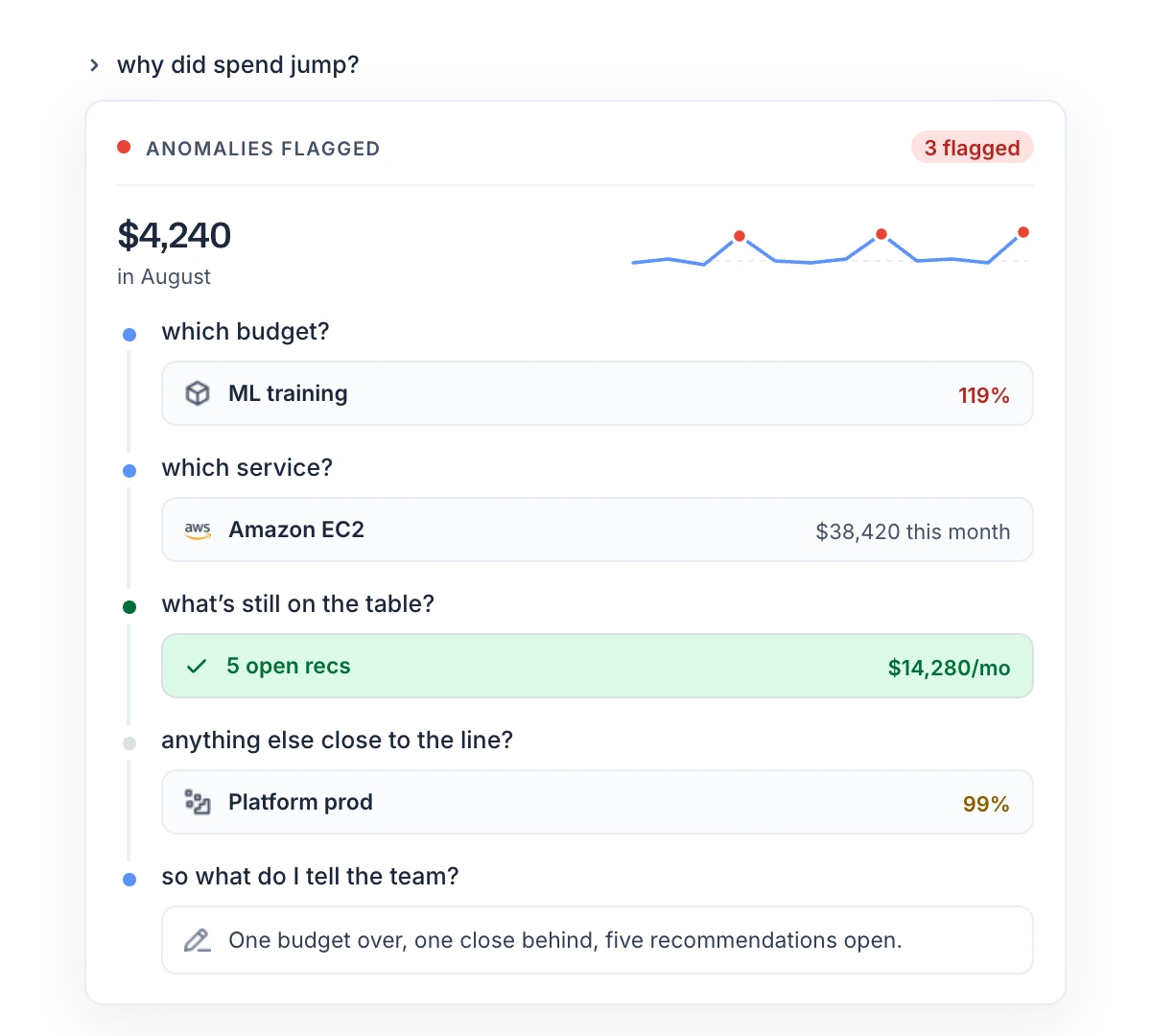
The assistant reads anomalies with their expected cost, actual cost and impact, and a summary. It cannot read an anomaly's root cause or your alert settings.
- "Any cost anomalies in the last seven days?"
- "Summarise the anomaly count and cost impact for the quarter."
- "Which anomaly this month had the biggest cost impact?"
Resources
The assistant reads Resource Inventory: resources across your clouds, search by name, counts by provider and type, cost per resource and configuration history.
- "How many EC2 instances do we have, per region?"
- "Find every resource tagged environment=prod that still exists."
- "Search for anything named prod-web."
- "What did instance i-0613b22d2b8660ca5 cost last month?"
- "What changed on this security group recently?"
Tags
The assistant reads tag keys and values, how much spend is tagged, spend by tag, tag keys that nearly match your standard ones, and the standard tags themselves.
- "How much of last month's spend is untagged?"
- "What does everything tagged env=prod cost us?"
- "Is anyone spelling Environment three different ways?"
Reports from several areas
One request can draw on several areas.
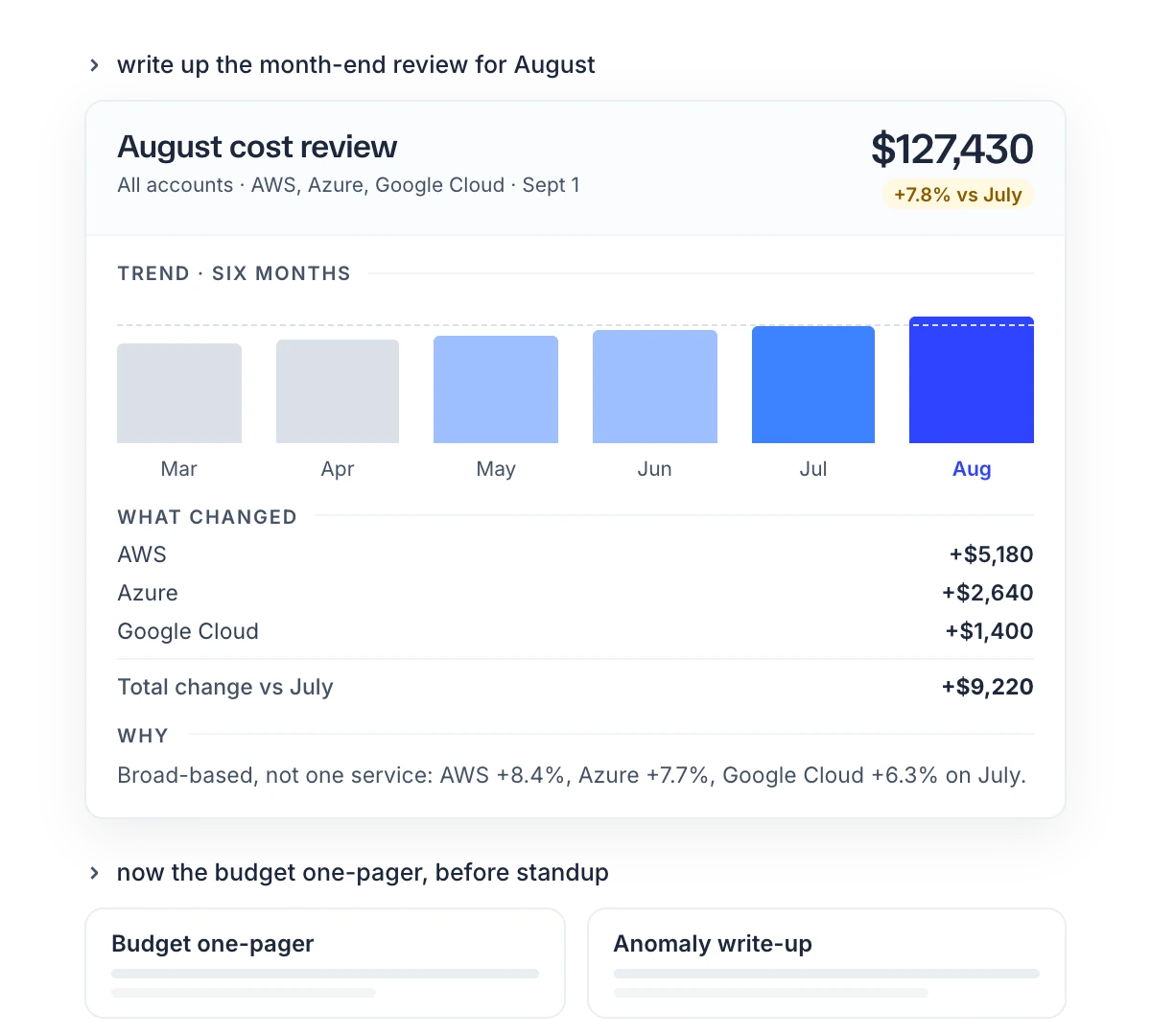
- "Pull August spend, budgets, anomalies and open savings, and build a review for the leadership team."
- "Find everything we pay for that nobody uses, across every cloud, and price what can be priced."
Tips for better answers
| Tip | Why |
|---|---|
| Give a date range. | Without one, the default depends on the question: 30 days for most cost and tag questions, 90 days for anomalies, and today only for total spend. |
| Name the cloud provider to limit the answer to it. | Without one, the answer covers every connected provider. |
| Start with "Using CloudYali, …" when the assistant has other tools. | It then reads CloudYali instead of searching the web or another tool. |
| Ask for filter values before you filter. | Account, service and tag names must match exactly. |
| Ask follow-up questions in the same chat. | The assistant keeps the earlier results. |
| Reconnect after a sign-in error. | A connection lasts up to 45 minutes. |
Read the results with care
- Empty results. A filter that matches nothing and a period with no cost both return nothing. Ask the assistant which filters it used.
- Differences from the console. The data is the console's, but the assistant chooses the dates, grouping and cost type. Check figures before you share them.