Plan a Savings Plan or reservation purchase
Your on-demand compute bill keeps growing, and someone suggests buying a Savings Plan. Before you commit for one or three years, this guide checks that you use what you already own, finds the usage still paying on-demand prices, and points you to a purchase sized for it.
You will use: Commitments · Cost Savings Time: 20 minutes
1. Check that you use what you own
Open Financial Planning → Commitments and select Commitment Utilization by Type. Set the time range to Last 30 days, grouped Daily.
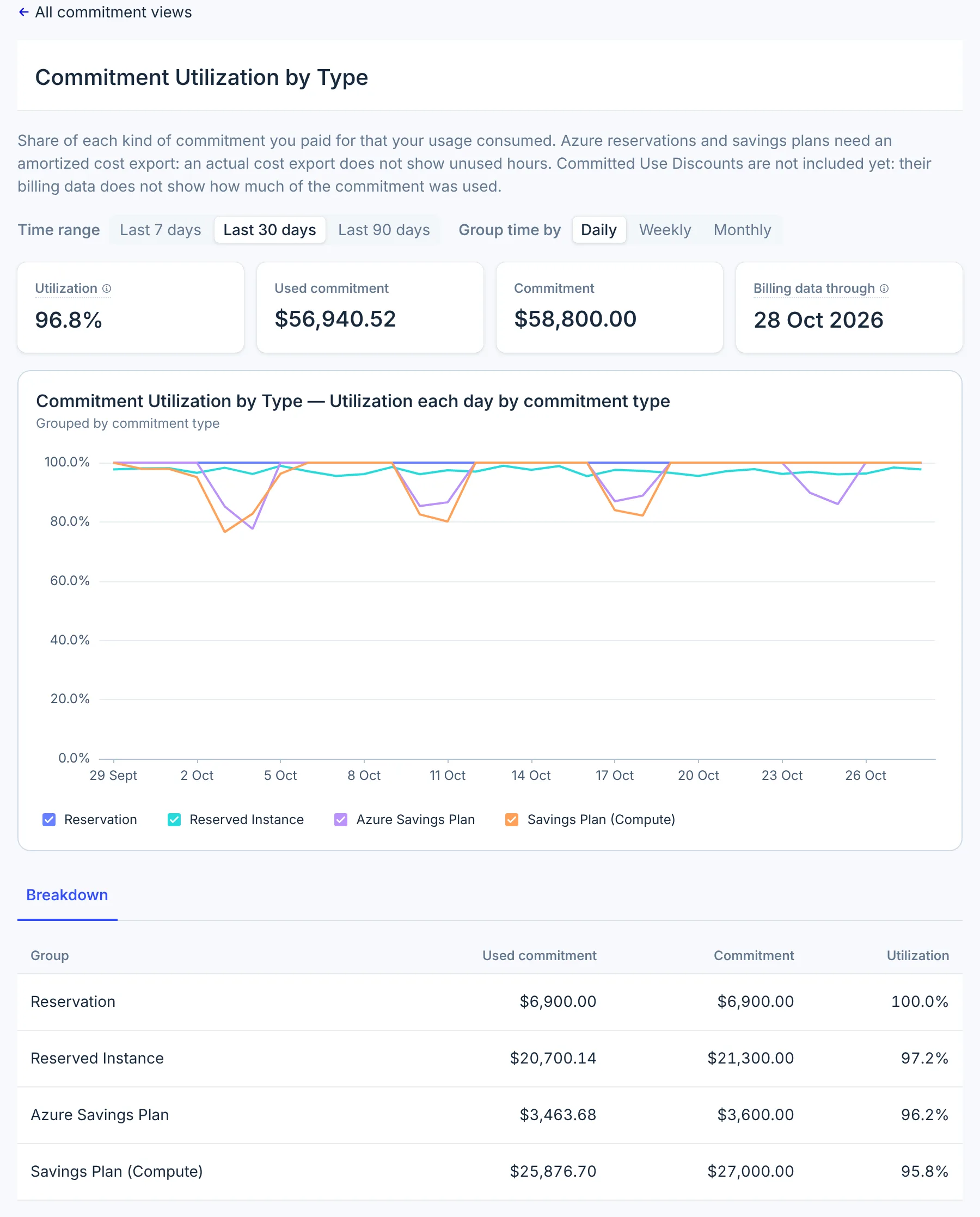
If a commitment type sits well below 100%, you already pay for more than you use. At Northwind Labs (a fictional company), the Compute Savings Plan drops to about 80% every weekend. Buying more would add to that waste: fix utilization first, for example by moving workloads onto the commitment, or wait for usage to grow.
Unused Commitment by Type shows the same gap in dollars.
2. Find the usage that still pays on-demand
Open Commitment Coverage by Service, Last 90 days, grouped Weekly. A service with low coverage and steady usage is the candidate for a new commitment.
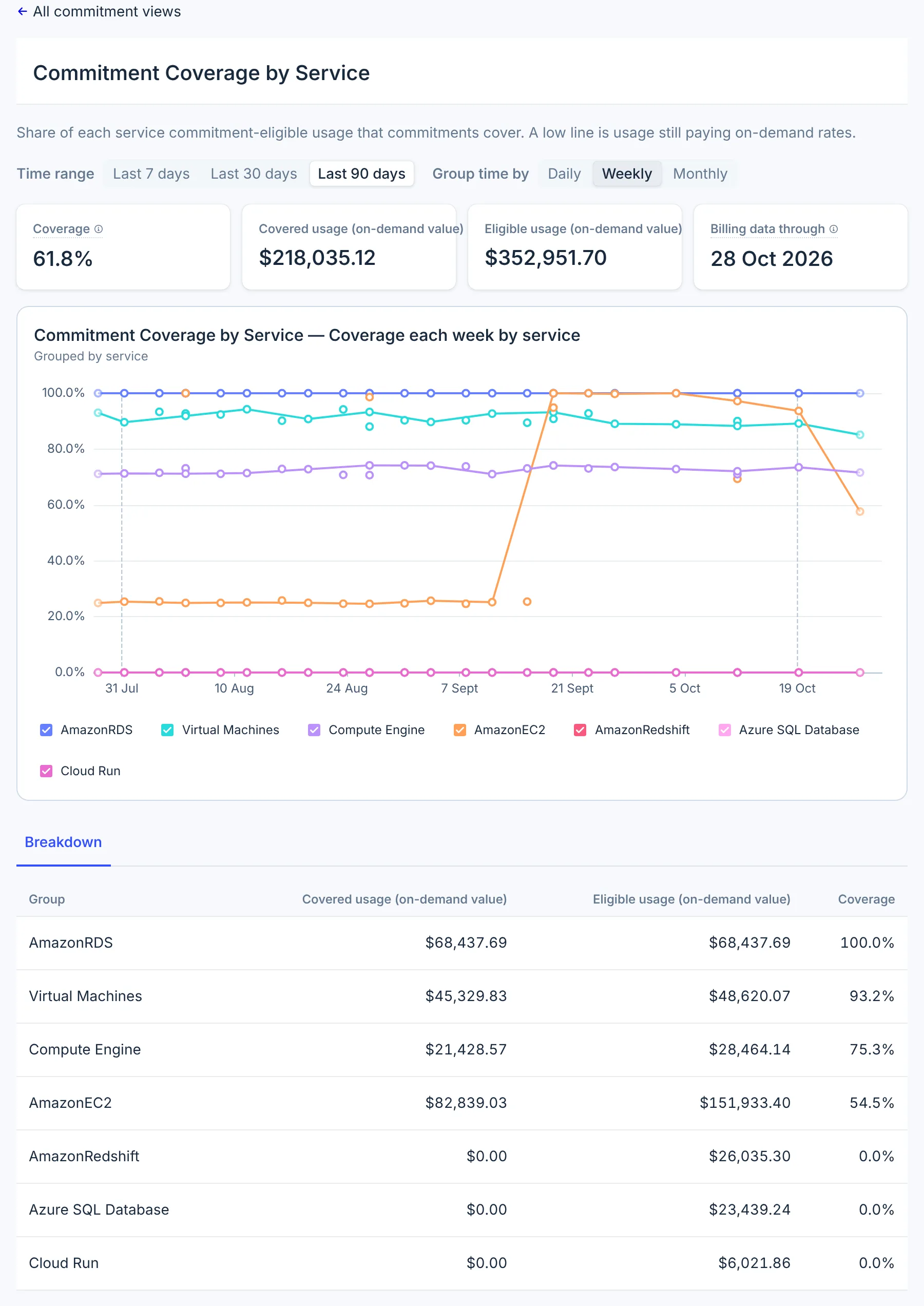
Look for usage that stays level week after week. A short spike, such as a load test, is not a reason to buy: it would leave the commitment unused when the spike ends.
3. Get a sized recommendation
Open Cost Management → Cost Savings, select Filter, and narrow it to the Commitment category.
- AWS: Cost Optimization Hub recommends Compute Savings Plans and RDS Reserved Instances, with an estimated monthly saving and a runbook. Other commitment types appear under Other.
- Microsoft Azure: Azure's reservation and savings plan recommendations, with Azure's estimate.
- Google Cloud: Google Recommender's committed use discount recommendations, from your BigQuery export.
Compare each recommendation's amount with the steady usage from step 2. Buy in the provider's console; CloudYali does not purchase commitments.
4. Check the result
A week or two after the purchase, open Commitment Coverage by Cloud and Commitment Utilization by Type again. Coverage should rise, and utilization of the new commitment should stay near 100%. Then Effective Savings Rate by Cloud shows the saving across the whole bill.
What you have now
- Proof that existing commitments are used before you buy more.
- The services still paying on-demand prices, and how steady their usage is.
- A purchase sized from the provider's recommendation, and a way to check it worked.
Do this every quarter
Review utilization and coverage each quarter, and before any commitment expires. CloudYali does not list individual commitments with their expiry dates yet; check those in the provider's console.