Email reports
CloudYali emails a daily cost report to everyone listed on Settings → User Management, including the organization's owner. Each report shows the spend of one day, two days before it is sent, by provider, service and account, with the month to date and the resources created without tags.
When it arrives and which day it covers
| Sent | Every day at about 15:30 UTC (21:00 in India), sometimes later |
| Covers | One UTC day, two days before the send date |
| Example | The email sent on 3 November covers 1 November, and its subject reads CloudYali Daily Cost Report - Nov 1, 2026 |
| From | support@cloudyali.io |
The two-day delay gives each provider time to deliver its billing data. Figures for a day can still change after the report, as late charges arrive; the email is not sent again.
When a day's total cost is $0.00, often because billing data had not arrived, no email is sent for that day, and that day is not sent later.
Who gets it
- The organization's owner, and every person on Settings → User Management, including invitations still marked Pending.
- Each person gets their own copy, so recipients do not see each other's addresses.
- If your organization has a Microsoft Teams channel connected, the report is also posted there.
The email has no unsubscribe link and no setting in the console. The only way to stop a person's reports is to remove them from User Management, which also removes their access. The owner always receives them. Contact support@cloudyali.io if you need reports stopped.
What the email contains
This is the email Northwind Labs (a fictional company) received for 28 October.
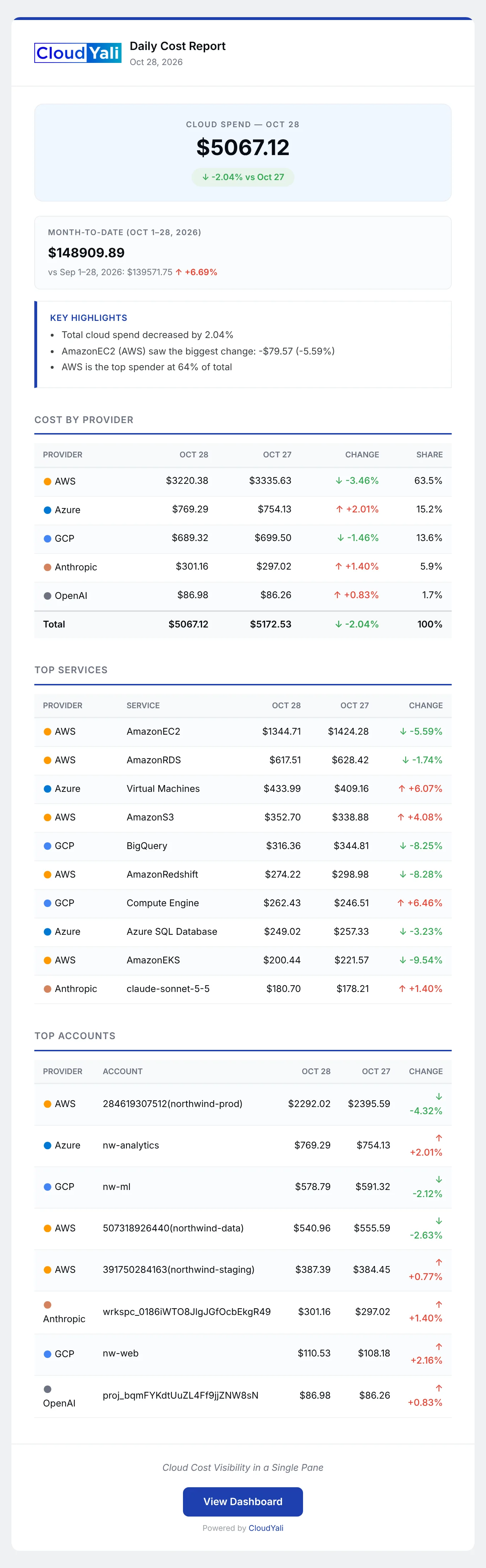
| Section | What it shows |
|---|---|
| Net Billed or Cloud Spend | The day's total, the change from the day before, and gross cost and credits when there are credits |
| Month-to-Date | The month's spend so far, against the same days of the previous month |
| Key Highlights | Up to three lines: the change in total spend, the service that changed most, and the credits saved or the top provider |
| Cost by Provider | Each provider's cost for the day and the day before, the change, and its share |
| Top Services | The 10 most expensive services across providers, with the change |
| Top Accounts | The 10 most expensive accounts, projects and subscriptions across providers |
| Untagged Resources | Up to 20 resources first billed in the last two days without tags, by cost |
A View Dashboard button opens the console. The email has no attachments, no tag breakdown, and no anomalies, budgets or savings.
Providers and how cost is counted
| Provider | What the email counts | Shown as |
|---|---|---|
| AWS | Usage charges only. Tax, fees, Reserved Instance and Savings Plans charges, refunds and discounts are left out | Services by code, such as AmazonEC2; accounts as 391750284163(Name) |
| Google Cloud | Regular charges. Tax and adjustments are left out | Projects by ID |
| Azure | Every charge, purchases and refunds included | Subscriptions by name |
| Anthropic | All usage | Models; workspaces by ID |
| OpenAI | All usage | Line items; projects by ID |
| Fastly | Finalized month-end invoices only, dated the 1st of the month | Rarely appears on a daily report |
Databricks and Cursor spend is not in the email.
The AWS figure counts usage charges only, and Google Cloud leaves out tax and adjustments, so totals differ from provider invoices and from Cost Explorer. Every amount is labelled in US dollars; AWS amounts are shown in the currency AWS bills you in.
Other CloudYali emails
The account owner, and only the owner, also receives two Cost Savings summaries: a weekly one on Mondays and a monthly one on the 1st. The monthly summary gives the savings realized that month, the trend, the split by category and how many opportunities sit at each stage.
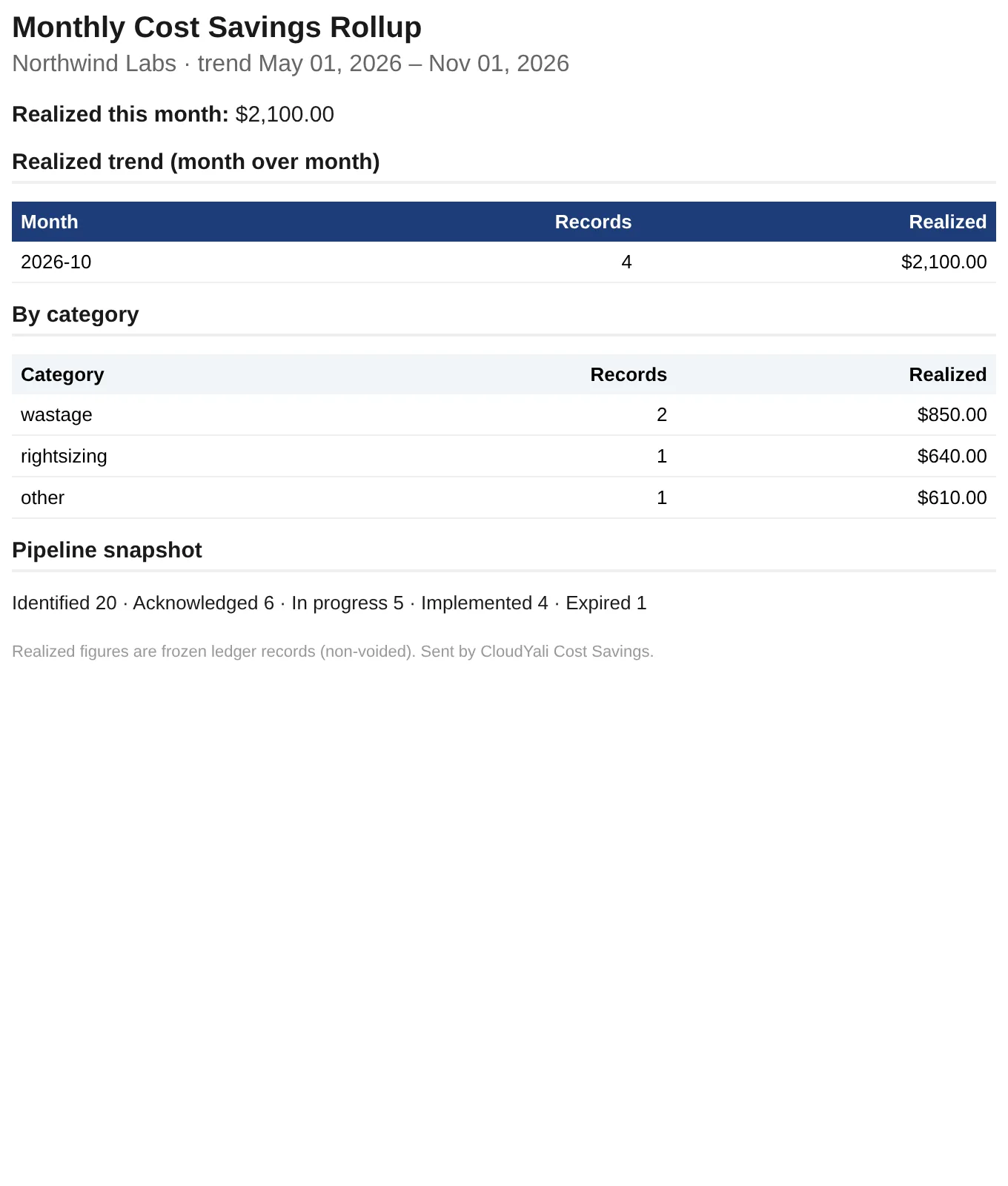
Budget and anomaly alerts are sent separately when they fire; see Budgets and Cost Anomalies.
CloudYali does not send a monthly cost report.
Limits
- No settings. You cannot change the time, the sections, the providers or the recipients, except by adding and removing people in User Management.
- No unsubscribe. See the caution above.
- Two days old. The newest day in the email is two days before it arrives.
- Missed days are not resent. A day with $0.00 total, or a day the report failed, is skipped.
- Not invoice totals. See the caution above.
- No archive in the console. Keep the emails if you need past reports.