Lifecycle and realized savings
Every opportunity in Cost Savings has a status, and every change of status is recorded with who made it and why. When you mark an opportunity Implemented, CloudYali records its monthly amount as Realized Savings. This page lists each status, the moves between them, and how realized savings are counted.
Statuses
| Status | Meaning |
|---|---|
| Identified | Found by a source and not looked at yet |
| Acknowledged | Someone has seen it and agrees it is worth doing |
| In progress | Someone is making the change |
| Implemented | The change is made; its monthly amount is recorded as realized savings |
| Ignored | Not worth doing. It stays ignored even if the source keeps reporting it |
| No longer detected | The source stopped reporting it before anyone worked on it |
No longer detected is also a badge. On an Acknowledged or In progress opportunity, it means the source stopped reporting it while you were working on it, often because someone already made the change.
Moves
You change a status from the actions menu on the opportunity's row, or Actions in its details. The menu offers only the moves allowed from the current status:
| From | You can move it to |
|---|---|
| Identified | Acknowledge · Mark as implemented (reason required) · Ignore |
| Acknowledged | Move back to identified · Start work · Mark as implemented · Ignore · Abandon (only with the No longer detected badge) |
| In progress | Move back to acknowledged · Mark as implemented · Ignore · Abandon (only with the badge) |
| Implemented | Revert (reason required) |
| Ignored | Un-ignore |
| No longer detected | Claim savings (reason required) |
To move several at once, select their rows. The bar above the table offers the moves allowed for every selected row.
CloudYali makes three moves on its own, once a night:
- An Identified opportunity the source no longer reports becomes No longer detected. So does one whose account you removed from Integrations.
- A No longer detected opportunity the source reports again goes back to Identified.
- An Implemented opportunity the source stopped reporting and then reports again goes back to Identified, because the change did not stick.
When an opportunity comes back, the drawer shows Seen N times, and its history keeps each detection separately.
Record realized savings
- In the opportunity's row, open the actions menu and select Mark as implemented.
- Add a reason. It is optional unless the opportunity is still Identified.
- Check the amount in This writes a savings record, then select Confirm.
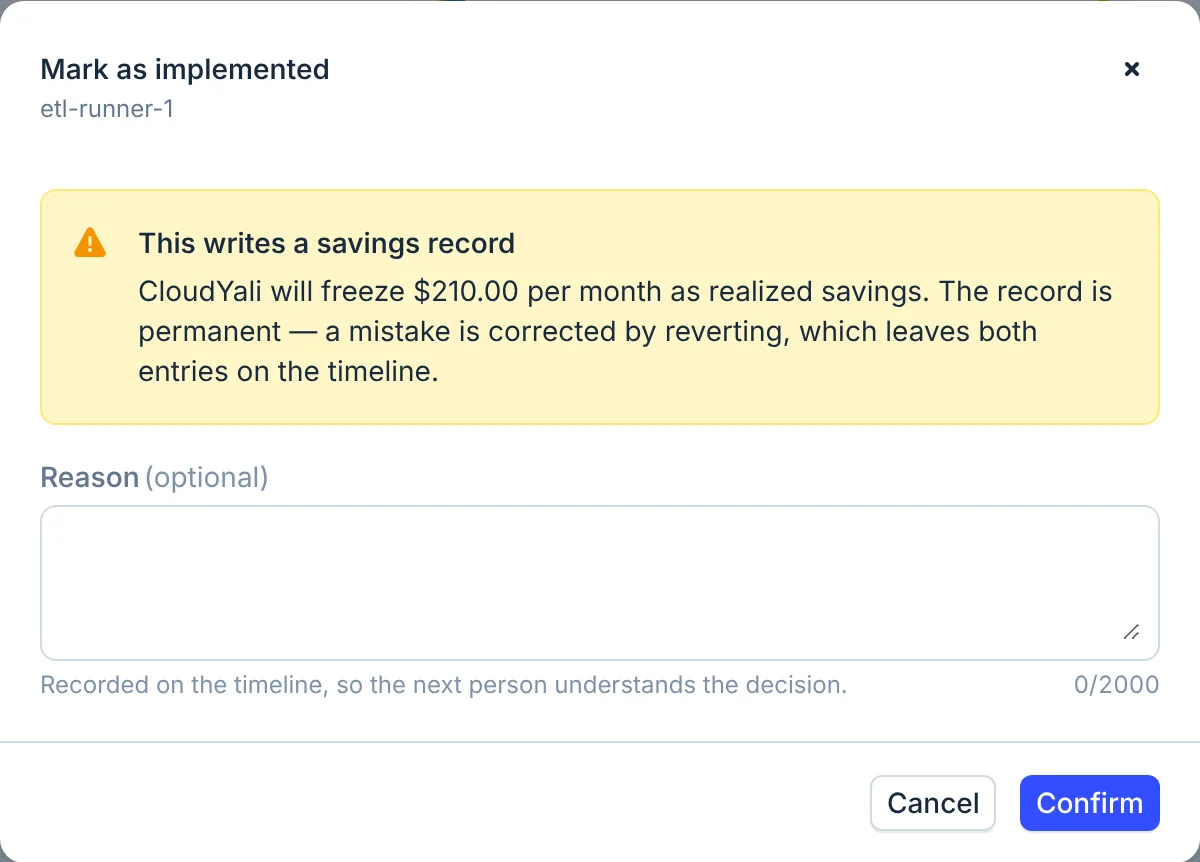
CloudYali records the opportunity's estimated monthly amount at that moment, in a record that does not change afterwards. Realized Savings at the top of Cost Savings adds up the records made in the period you pick, this month by default.
Realized savings are an estimate, not a measurement: CloudYali does not compare your bills before and after the change. To see the effect on spend, open the resource in Cost Explorer.
Only opportunities with a USD amount, of a type CloudYali tracks (rightsizing, wastage or commitment), can be marked implemented. For any other, the console shows "This cannot be marked implemented yet" and lists what is missing, such as "a savings bucket", its name for the type. Microsoft Azure Advisor opportunities and the Other category cannot be marked implemented yet.
Correct a mistake
Select Revert on an Implemented opportunity and give a reason. CloudYali voids the realized record, takes it out of every total, and keeps it on the timeline, marked void. The opportunity goes back to Acknowledged.
Claim savings after the fact
If someone made the change before anyone marked it, the opportunity shows No longer detected. Select Claim savings and give a reason to record its realized savings.
Activity and comments
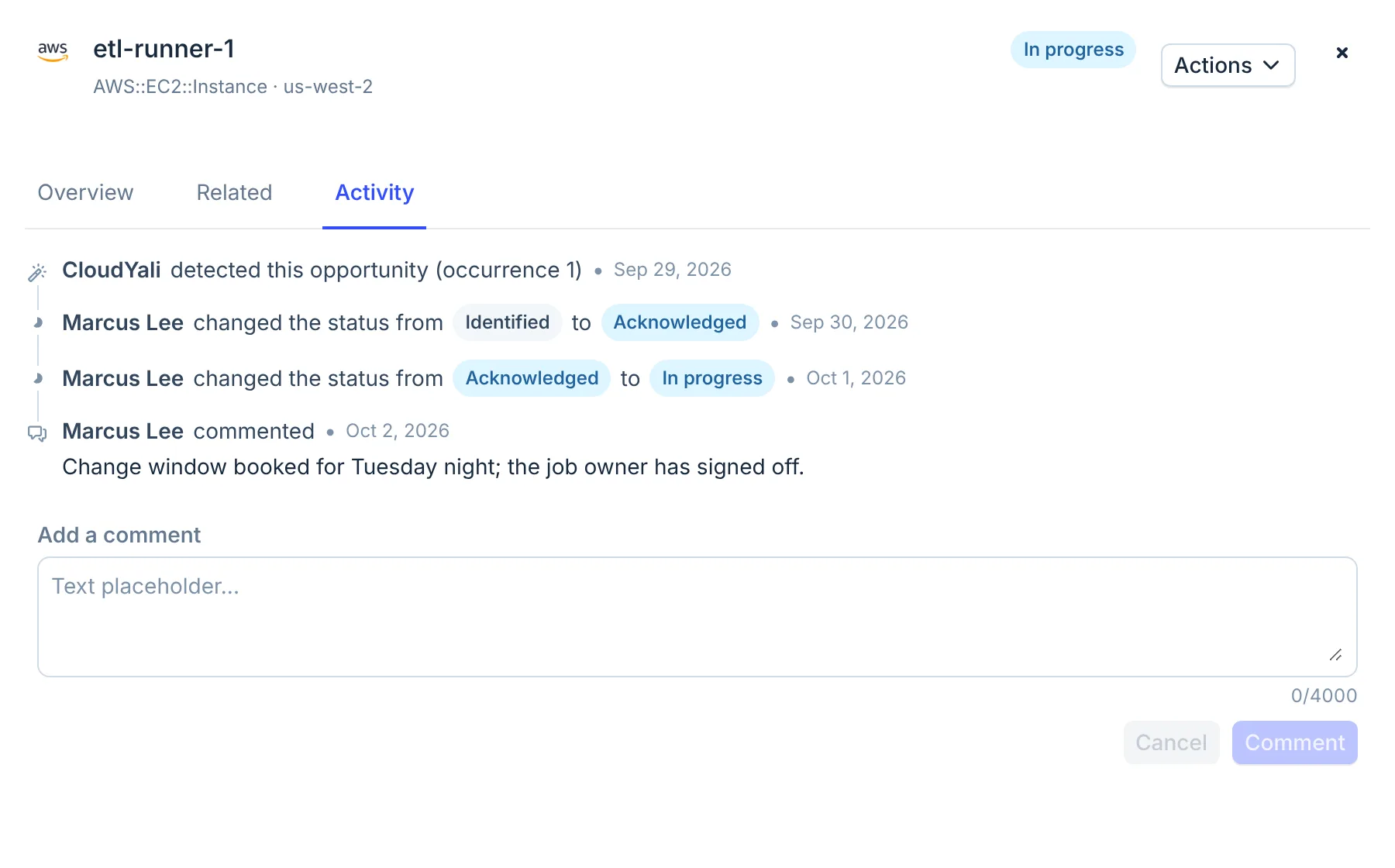
The Activity tab in an opportunity's details lists every detection, status change and comment, with who did it and when. Comments can be up to 4,000 characters; you can delete only your own.
Limits
- Realized savings are the estimated monthly amount at the time of the change, not measured from the bill.
- The console cannot assign an opportunity to a person yet.
- An opportunity with no USD amount cannot be marked implemented or claimed.
- An Identified opportunity becomes No longer detected after a single night in which its source does not report it.
FAQ
What is the difference between Ignored and No longer detected?
Ignored is your decision that an opportunity is not worth doing. No longer detected means its source stopped reporting it, which CloudYali sets on its own.
Can I undo Mark as implemented?
Yes. Select Revert and give a reason. The realized record is voided and stays on the timeline, and the opportunity goes back to Acknowledged.
Which month does a realized saving count in?
The month in which you marked the opportunity implemented, by UTC (Coordinated Universal Time).
Who can change a status?
Any member of your CloudYali account. Each change is recorded on the Activity timeline with the person and the reason.