Connect Azure
Microsoft Azure costs appear in CloudYali after you give it a service principal that can read your Cost Management export in Blob Storage. CloudYali reads the export; it does not create it. The same service principal reads your resources and Azure Advisor's cost recommendations. Setup takes about 20 minutes, most of it in the Azure portal.
Before you start
- A Cost Management export writing daily to a storage account. See Cost Management exports.
- A service principal with a client secret and the roles below. See Service principal.
- Allow five to ten minutes after you assign roles. Connecting sooner can fail with a permissions error that clears on its own.
What CloudYali can read
| Data | Role for the service principal | Why CloudYali needs it |
|---|---|---|
| The export files | Storage Blob Data Reader on the storage account | Cost by subscription, service and resource |
| Resources | Reader on each subscription | Resource Inventory |
| Azure Advisor cost recommendations | Reader on each subscription | Cost Savings |
| Metrics | Monitoring Reader, optional | CloudYali's own rightsizing rules |
CloudYali checks only the storage access when you connect. Azure permissions explains each role.
Connect Azure
- In CloudYali, open Integrations and select Connect on the Azure card (Add account if Azure is already connected).
- Choose the Agreement type: Pay-as-you-go, Microsoft Customer Agreement or Enterprise Agreement.
- Optionally, enter a Display name. CloudYali uses the subscription ID if you leave it empty.
- Enter the Subscription ID, the Directory (tenant) ID and the Application (client) ID.
- Paste the Client secret value, not its secret ID.
- Under Where the export lands, enter the Storage account, the Container and the Export name, exactly as they appear in Cost Management → Exports.
- Select Connect.
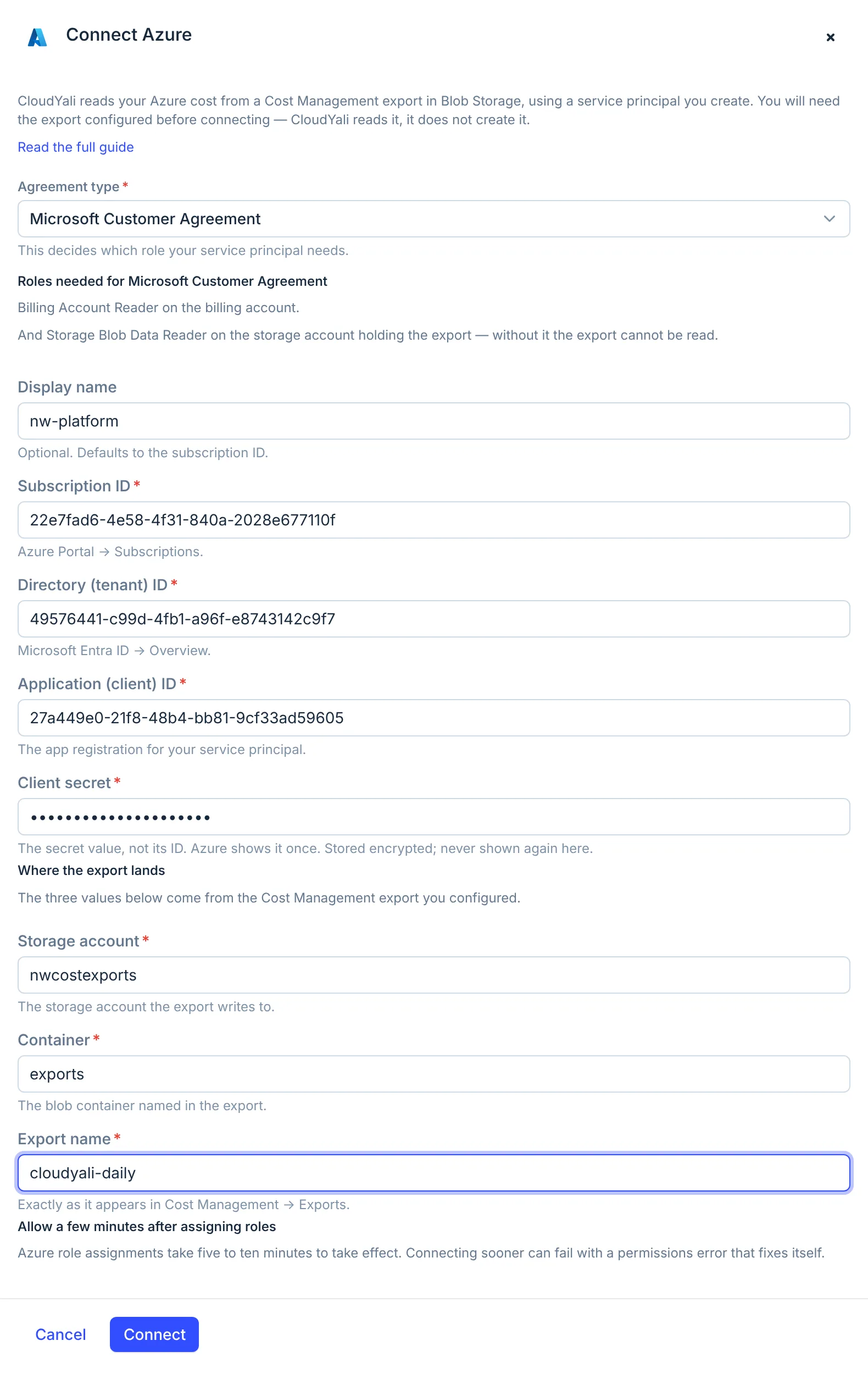
CloudYali signs in as the service principal and lists the container before it stores anything. The client secret is stored encrypted and is not shown again.
Check that it worked
The console shows Connected, and the subscription appears on the Connected tab of Integrations with its agreement type. Data arrives with the next daily sync, not straight away:
- Cost: the first sync reads up to 6 months of the export files already in the container, then the current and previous month each day. Last sync shows the latest cost or resource sync, whichever ran last.
- Resources and Advisor recommendations: once a day.
With an actual-cost export, Commitments shows Azure coverage only; see Cost Management exports.
Replace a key or disconnect
The console cannot replace a client secret yet. Before the secret expires, contact support@cloudyali.io to change it.
To disconnect, open the Connected tab and select Remove on the subscription's row. CloudYali stops syncing and keeps the cost history it has. It also keeps the stored secret, so delete the client secret in Microsoft Entra ID → App registrations to revoke access. Connecting the same subscription again after removing it does not work from the console yet; contact support.
Troubleshooting
| Symptom | Cause | Fix |
|---|---|---|
| You are signed out of CloudYali when you select Connect | The tenant ID, client ID or secret is wrong, or the secret expired. CloudYali answers a credential failure in a way that signs you out | Sign in again, check the three values, paste the secret's value, not its ID, and connect again |
| Missing Storage Blob Data Reader role | The service principal cannot read the storage account | Assign Storage Blob Data Reader on the storage account, wait ten minutes, then connect |
| Storage account not found | The storage account name is wrong | Use the name from the export, 3 to 24 lowercase letters and numbers |
| Storage container not found | The container does not exist in that storage account | Use the container named in the export |
| Failed to create account | The subscription is already connected, in this or another CloudYali account, or was connected and removed | Check the Connected tab. Do not retry a subscription that is already connected: retrying replaces its stored credentials. Otherwise contact support |
| No cost after a day | The export name does not match, or the export has not run yet | Check the export name in Cost Management → Exports and that a file exists in the container |
| Cost stops after months of working | The client secret expired | Contact support with a new secret |