Connect Fastly
Fastly CDN cost appears in CloudYali after you connect an API token that can read your invoices. CloudYali reads each invoice by product, service and region. Setup takes about 5 minutes.
Before you start
- You need a Fastly user with the Billing role, to create a token that can read invoices.
What CloudYali can read
| Data | Why CloudYali needs it |
|---|---|
| Invoices and their line items | Fastly cost by product, service and region, per month |
| Month-to-date invoice | This month's spend so far |
Fastly bills by month, so Fastly cost in CloudYali is monthly, not daily.
Create the token
- In the Fastly console, open Account, then Personal API tokens.
- Select Create Token.
- Set the scope to Global:Read and assign the Billing role.
- Copy the new token.
Connect Fastly
- In CloudYali, open Integrations and select Connect on the Fastly card (Add account if Fastly is already connected).
- Enter an Account name that no other Fastly connection uses.
- Paste the API token.
- Select Connect.
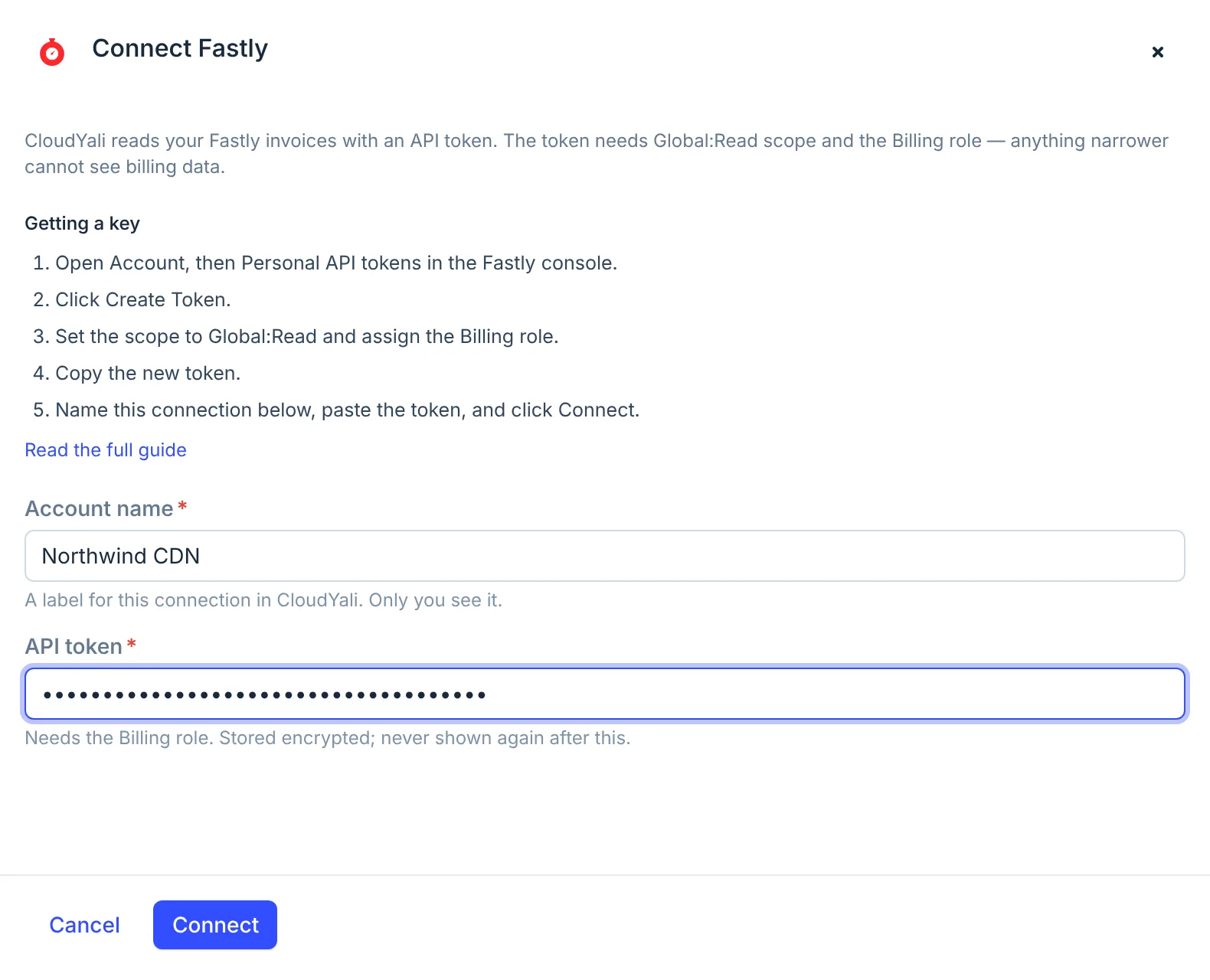
CloudYali checks that the token can read your invoices before it stores it. The token is stored encrypted and is not shown again.
Give each Fastly connection its own name. CloudYali stores a Fastly token under its connection's name, so a second connection with the same name would replace the first one's token. The console blocks an exact repeat, but not a name that differs only in spaces or punctuation.
Check that it worked
The console shows Connected, and the account appears on the Connected tab of Integrations. The first sync reads every invoice Fastly makes available, then the current month once a day.
Replace a key or disconnect
The console cannot replace a Fastly token yet. To change it, contact support@cloudyali.io.
To disconnect, open the Connected tab and select Remove on the row. CloudYali deletes the stored token and keeps the cost history it has. To revoke the token itself, delete it under Personal API tokens in Fastly.
Troubleshooting
| Symptom | Cause | Fix |
|---|---|---|
| A Fastly API token is at least 32 characters | Part of the token is missing | Copy the whole token |
| Failed to validate API key with Fastly | The token cannot read invoices | Create a token with Global:Read scope and the Billing role |
| That name is already in use | Another Fastly connection has the same name | Choose a different name |
| No data after a day | The first daily sync has not run yet | Check Last sync on the Connected tab the next day |