Tags in billing data
CloudYali reads tags from two places. Resource scans read the tags on each resource, and feed Resource Inventory and the Tag explorer's key list. Billing data is the cost export each provider publishes, and feeds every cost figure in Tag Governance.
A tag reaches billing data only when the provider writes it there, which some providers do only after you turn it on. Until then, a resource can show its tags while its spend counts as untagged.
What each provider needs
| Provider | What Tag Governance reads from billing | What to do |
|---|---|---|
| AWS | Cost allocation tags in the Cost & Usage Report | Activate each tag key in Billing and Cost Management → Cost allocation tags |
| Google Cloud | Resource tags (Resource Manager tags) in the BigQuery billing export. Labels are not read | Apply resource tags, not only labels, to the resources and projects you want counted |
| Azure | The tags on each row of the Cost Management export | Turn on tag inheritance in Cost Management if resources lack their own tags |
| Databricks | Custom tags on billable usage | Set custom tags on clusters, pools and SQL warehouses |
| Anthropic, OpenAI, Cursor, Fastly | Not included in Tag Governance | — |
AWS
- Activate each tag key in Billing and Cost Management → Cost allocation tags. A key you add later needs its own activation.
- AWS writes a tag to billing from activation onwards. Spend from before then stays untagged.
- CloudYali does not re-read a month AWS has already invoiced. A backfill of tags into those months at AWS does not reach CloudYali.
- Keys AWS adds itself, such as
aws:createdBy, count towards tagged spend once activated, but are never checked against your standard tags or broken down by value.
Google Cloud
Tag Governance reads only Google Cloud resource tags (Resource Manager tags) from the billing export. Resource labels, project labels and system labels are not read, so spend that carries only labels counts as untagged. Resource Inventory and the Tag explorer's key list show labels, which is why a labelled resource can look tagged there.
CloudYali reads the detailed (resource-level) billing export to BigQuery, which you set up when you connect Google Cloud.
Azure
- Tags come from the Cost Management export each day.
- Resource types that do not put their own tags on usage rows report as untagged. Microsoft Azure's Cost Management → Settings → Tag inheritance copies subscription and resource group tags onto those rows.
- A tag value Azure exports in a form CloudYali cannot read is treated as no tag, without a warning.
Databricks
Set custom tags on the cluster, pool or SQL warehouse. Tags set elsewhere do not reach billable usage.
Where this shows in CloudYali
| Where | What you see |
|---|---|
| Overview | No tagged spend in this period, with Tagged cost at $0.00 and the donut at 0% tagged |
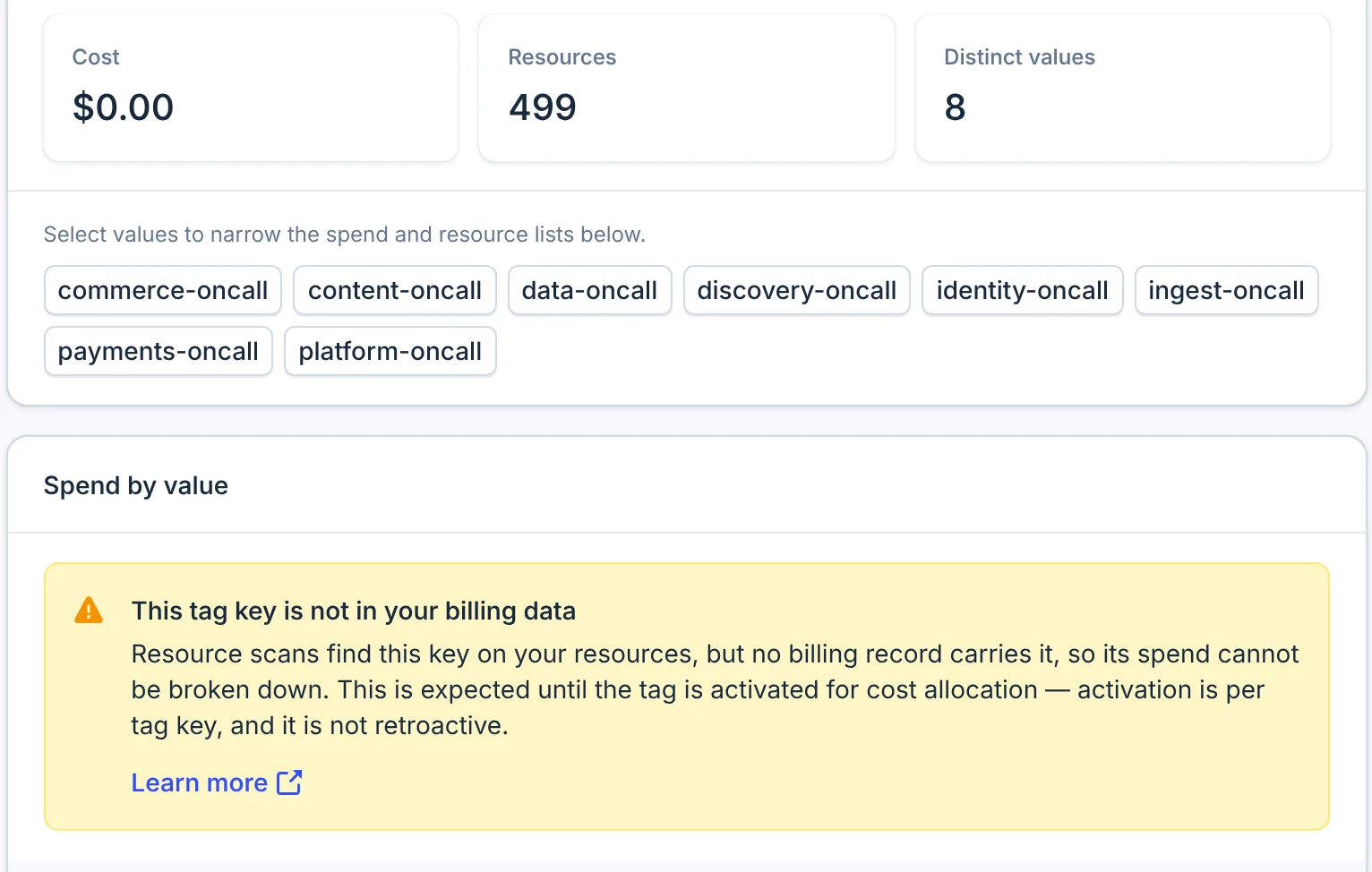
| Tag explorer | The key's values and resources are listed, its Cost is $0.00, and Spend by value says This tag key is not in your billing data or Your billing data carries no tags for this period |
| Mismatched keys and Non-compliant resources | Empty |
When billing data carries no tags, Non-compliant resources says every tag key matches your standard tags. The check had no billing keys to compare. Check Overview first: if Tagged cost is $0.00, turn tags on at the provider.
For a key starting aws:, Spend by value says Provider-generated tags are excluded from
spend. Its values and resources are still listed.
After you turn tags on
- The provider adds the tag to new billing records from then on.
- CloudYali reads each provider's billing data once a day.
- Tag Governance shows the tagged spend for the days after activation. Earlier days stay untagged.
Checklist
- Tags are on the resources: they appear in Resource Inventory or the Tag explorer.
- AWS: each tag key is activated for cost allocation.
- Google Cloud: the resources carry resource tags, not only labels.
- Azure: tag inheritance is on where resources lack their own tags.
- Databricks: custom tags are on the clusters, pools and SQL warehouses.
- A day has passed since the change.