Change history
The Configuration tab of a resource in Resource Inventory shows the resource's configuration, and its earlier configurations where CloudYali keeps them. Each version is the full configuration at one point in time. Open Cost Management → Resource Inventory, then select a resource ID. The panel opens on Configuration.
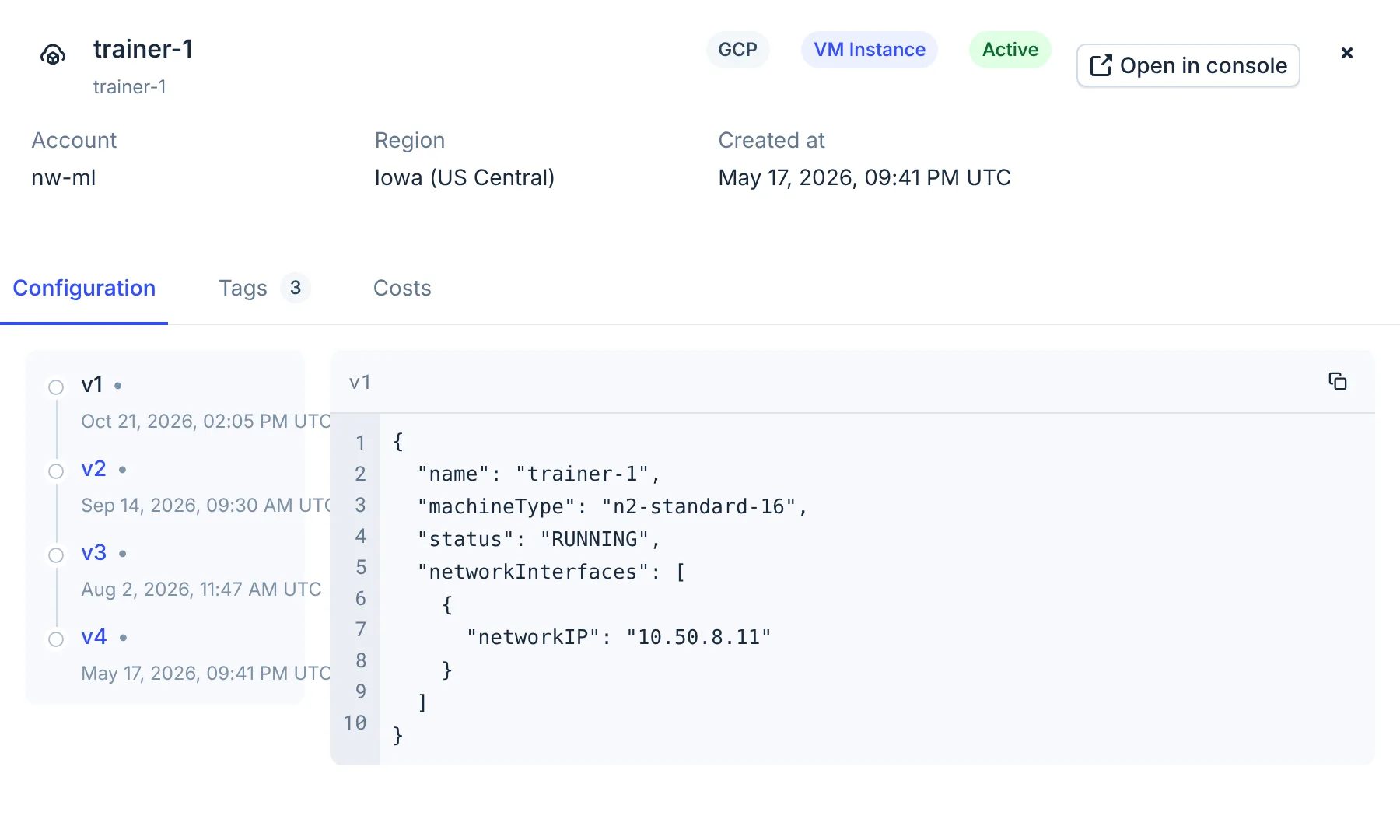
- Versions
Read the versions
- The list on the left has one entry per version, each with its time. v1 is the newest; higher numbers are older.
- The newest version is selected when the panel opens. Select another to see its configuration.
- The configuration is shown as JSON. The copy button copies it.
- The panel shows up to 20 versions.
The panel does not show what changed between two versions. Select each version and compare the JSON.
What CloudYali keeps for each provider
| Provider | What you see | How far back | The time next to a version |
|---|---|---|---|
| Google Cloud | A snapshot each time the configuration or labels change | From 35 days before Google Cloud was connected, kept since | When that configuration took effect |
| Azure | A version for each change Azure records | 90 days. History starts about when Azure was connected | When Azure recorded the change |
| AWS | The current configuration only | — | When CloudYali first found the resource |
| Databricks, Anthropic | The current configuration only | — | When CloudYali first found the resource |
AWS resources have one version: their configuration now. Earlier AWS configurations are not recorded, and the time next to v1 is when CloudYali first found the resource, not when it last changed. For AWS change history, use AWS Config or AWS CloudTrail.
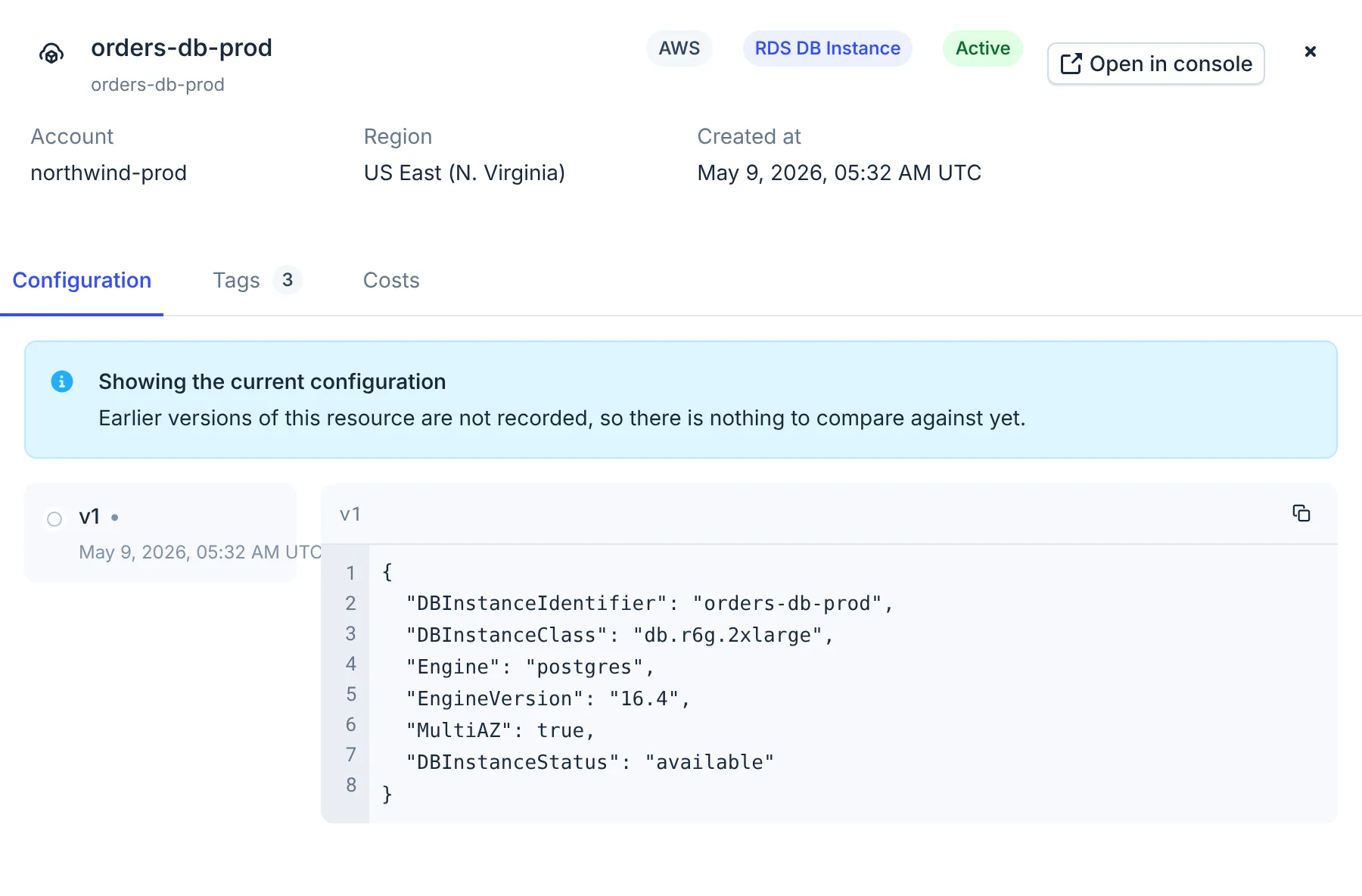
When a resource has no earlier versions, the panel says so:
| Notice | Meaning |
|---|---|
| Showing the current configuration. Earlier versions of this resource are not recorded, so there is nothing to compare against yet. | The provider keeps no history in CloudYali, or the resource has not changed yet. |
| No configuration recorded. Nothing is stored for this resource yet. | CloudYali holds no configuration for it, as for most deleted resources. |
Limits
- No comparison view. The panel lists versions but not the fields that changed. Compare the JSON of two versions by eye.
- AWS, Databricks and Anthropic keep no history. Only the current configuration is shown. For AWS, use AWS Config or CloudTrail.
- Microsoft Azure history lasts 90 days. Older Azure changes are removed.
- Who made a change is not shown. Azure records who changed a resource and with which tool, but the panel does not show it.
- Deleted resources lose their history. The tab shows no versions for a deleted resource. For a deleted Databricks or Anthropic resource, it shows "Couldn't load resources".
- Up to 20 versions. Older versions of a resource that changes often are not listed.
FAQ
Why is v1 the latest version?
Versions are numbered from the newest. v1 is the configuration now; v2 is the one before it.
Why does my AWS resource have only one version?
CloudYali does not record earlier AWS configurations. Use AWS Config or CloudTrail for AWS change history.
Can I see who changed a resource?
Not in the console. Azure records it, but the panel does not show it.
How far back does Google Cloud history go?
To 35 days before you connected Google Cloud, and every change since.