MCP Integration
The CloudYali MCP integration is a hosted, read-only Model Context Protocol (MCP) server. It lets an AI assistant query your CloudYali data on your behalf.
Summary
| Property | Value |
|---|---|
| Server URL | https://mcp.cloudyali.io/mcp |
| Transport | Streamable HTTP (remote MCP) |
| Authentication | OAuth, using your CloudYali login (MFA and SSO supported) |
| Access | Read-only |
| Permissions | Same as the signed-in CloudYali user |
| Connection lifetime | Up to 45 minutes; re-approve to continue |
| Installation | None; the server is hosted by CloudYali |
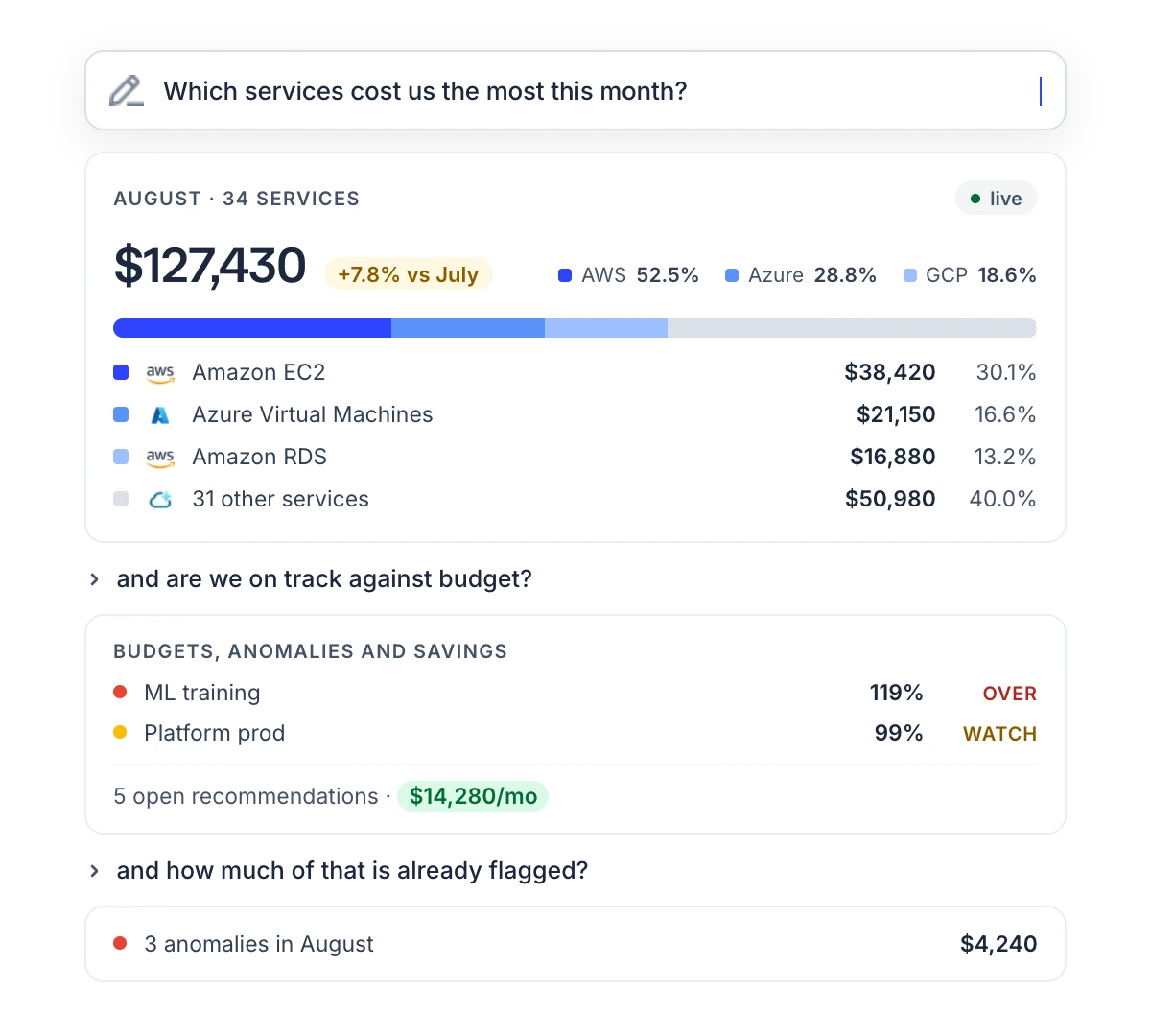
Supported clients
Any client that supports remote MCP servers with OAuth can connect. Setup steps for each client are in the Setup Guide.
| Client | Connection method |
|---|---|
| Anthropic Claude (claude.ai, Claude Desktop, mobile) | Custom connector |
| Claude Code | claude mcp add --transport http |
| OpenAI ChatGPT | Custom connector (developer mode) |
| OpenAI Codex CLI | ~/.codex/config.toml |
| Cursor | mcp.json |
| VS Code (GitHub Copilot) | .vscode/mcp.json |
| Windsurf | mcp_config.json |
| Gemini CLI | ~/.gemini/settings.json |
| stdio-only clients | mcp-remote bridge |
Data available
| Area | Data |
|---|---|
| Cost | Cost reports, grouped breakdowns, time series, period-over-period comparison, available filter values |
| Budgets | Budgets, spend history, contributing resources, configuration history, alert history |
| Savings recommendations | Open recommendations, totals, top savings, per-recommendation detail and status history |
| Anomalies | Detected anomalies, summary statistics, root cause breakdown, alert preferences |
| Inventory | Resources across clouds, search, counts, per-resource cost, configuration history, tags, regions, accounts, resource types |
Data covers all cloud providers connected to your CloudYali account.
Example questions
- "Break down last month's AWS bill by service."
- "How are we tracking against our budgets?"
- "What are our top savings opportunities right now?"
- "Any cost anomalies in the last seven days?"
- "How many EC2 instances do we have, per region?"
See Example Prompts for the full list by area.
Reports from multiple data sources
The assistant receives result rows, not rendered charts. It can combine data from several areas into a single report.
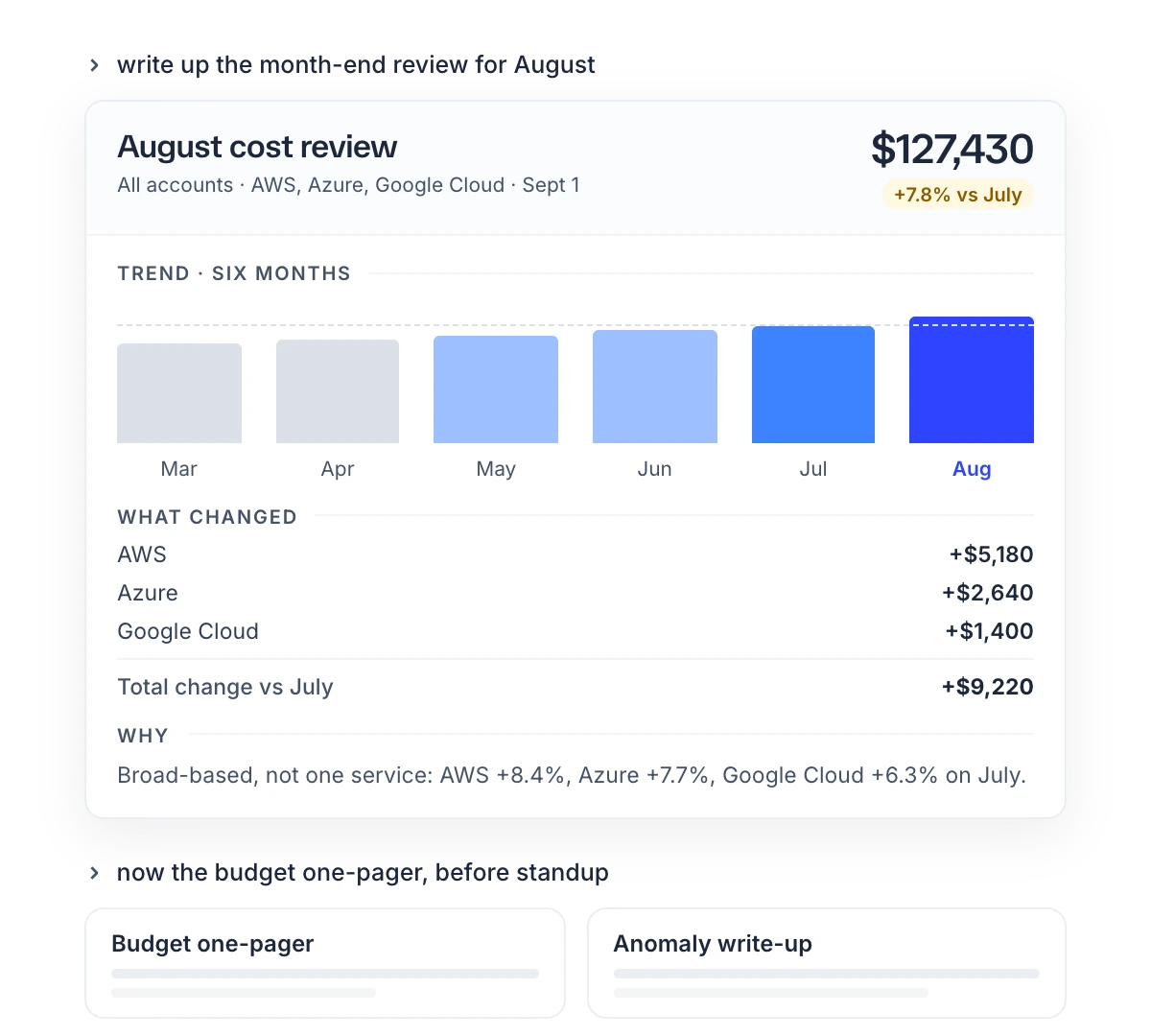
- "Pull August spend, budgets, anomalies and open savings, and build a review for the leadership team."
- "Show budget burn as of today, worst first, and flag anything over 90%."
Limitations
- No write operations. The integration cannot create or edit budgets, change recommendation status, edit tags, change account settings, or call AWS, Azure or Google Cloud APIs.
- No elevated access. The assistant can read only what the signed-in user can read in the CloudYali console.
- Time-limited connections. Each connection expires after up to 45 minutes. The user must approve a new connection to continue.
- Empty results are ambiguous. A filter that matches nothing and a period with no cost both return an empty result. Ask the assistant which filters it applied.
- Assistant interpretation. The data matches the CloudYali console. The assistant's choice of grouping, date range and cost type may differ from the console view. Verify figures before sharing them.