Example Prompts
The assistant selects the CloudYali data to query based on your prompt. You do not specify API calls. All operations are read-only.
Cost
Available data: cost reports, breakdowns by account, service, region and tag, daily and monthly time series, period-over-period comparison, and available filter values. Covers all connected cloud providers.
- "Break down last month's AWS bill by service."
- "Which five services cost us the most this month, across every cloud?"
- "Show daily GCP spend for June as a chart."
- "Compare this month's total spend to last month. What changed?"
- "List the available accounts and services, then show spend for the production account."
To avoid guessing filter values such as account aliases or service names, ask the assistant to list the available filters first.
Budgets
Available data: budget list and summary, spend against budget over time, resources contributing to budget spend, budget configuration history, and alert history.
- "How are we tracking against our budgets?"
- "List all budgets with their amounts and periods."
- "Which resources drove the production budget's spend in June?"
- "Has the data-transfer budget fired any alerts in the last month?"
Creating, editing and deleting budgets is not supported. Use the CloudYali console.
Savings recommendations
Available data: recommendation list with filters, totals and savings rollup, top recommendations by potential savings, per-recommendation detail, and status history.
- "What are our top savings opportunities right now?"
- "List open recommendations for EBS volumes with more than $50/month savings."
- "How much could we save in total if we actioned every recommendation?"
- "Group open recommendations by implementation effort instead of savings."
Changing recommendation status is not supported. Use the CloudYali console.
Anomalies
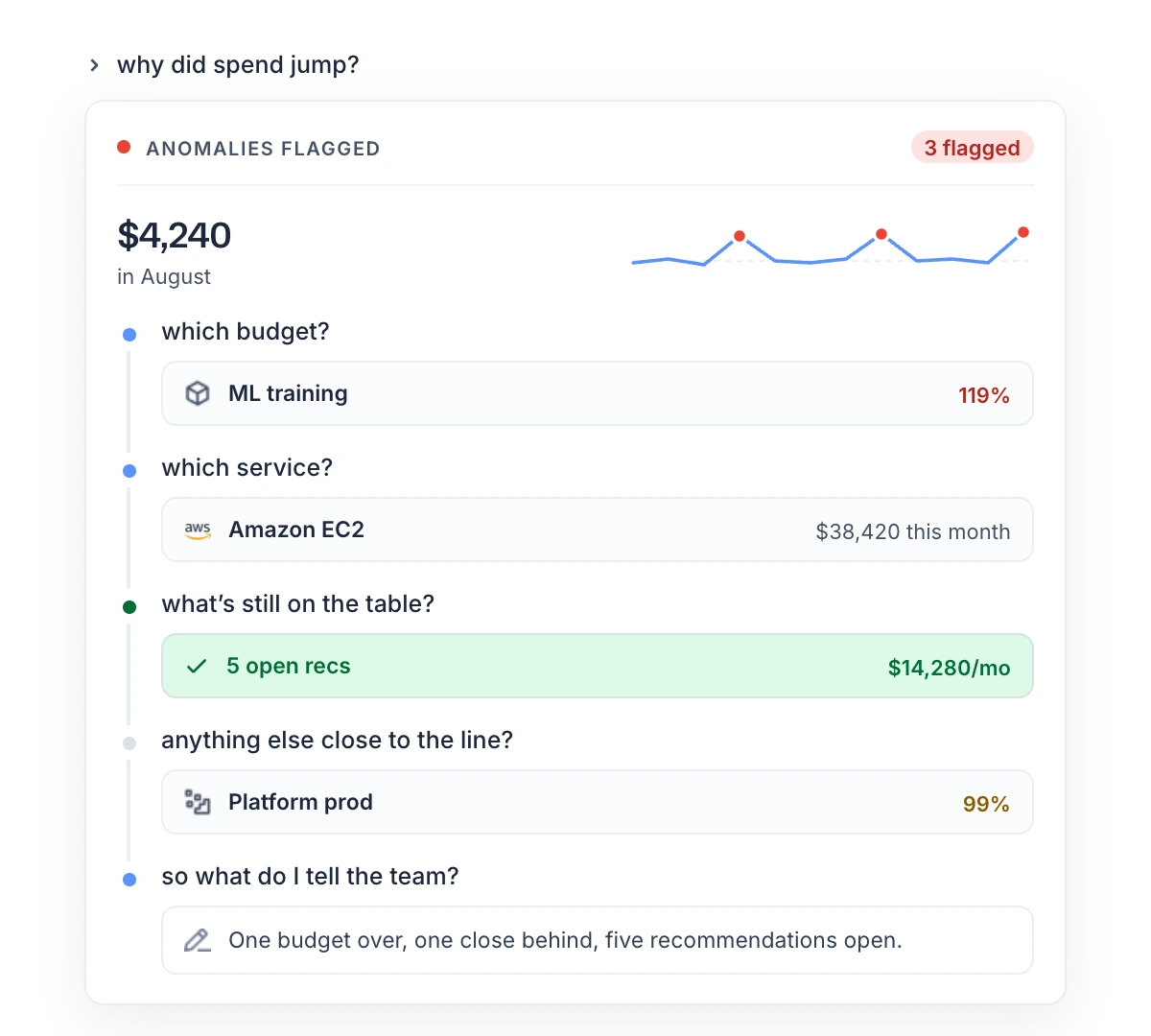
Available data: detected anomalies with filters, summary statistics, root cause breakdown per anomaly, and anomaly alert preferences.
- "Any cost anomalies in the last seven days?"
- "Summarize anomaly count and impact for the quarter."
- "Show the root cause breakdown for the largest anomaly this month."
Asset inventory
Available data: resources across all connected clouds, free-text search, resource counts by provider and type, per-resource cost, configuration change history, and lookups for tag keys, tag values, providers, resource types, regions and accounts.
- "How many EC2 instances do we have, per region?"
- "Find all resources tagged environment=prod that are still active."
- "Search inventory for anything named 'prod-web'."
- "What did instance i-0abc123 cost last month?"
- "What changed on this security group's configuration recently?"
Multi-source reports
The assistant can combine data from several areas into one response.
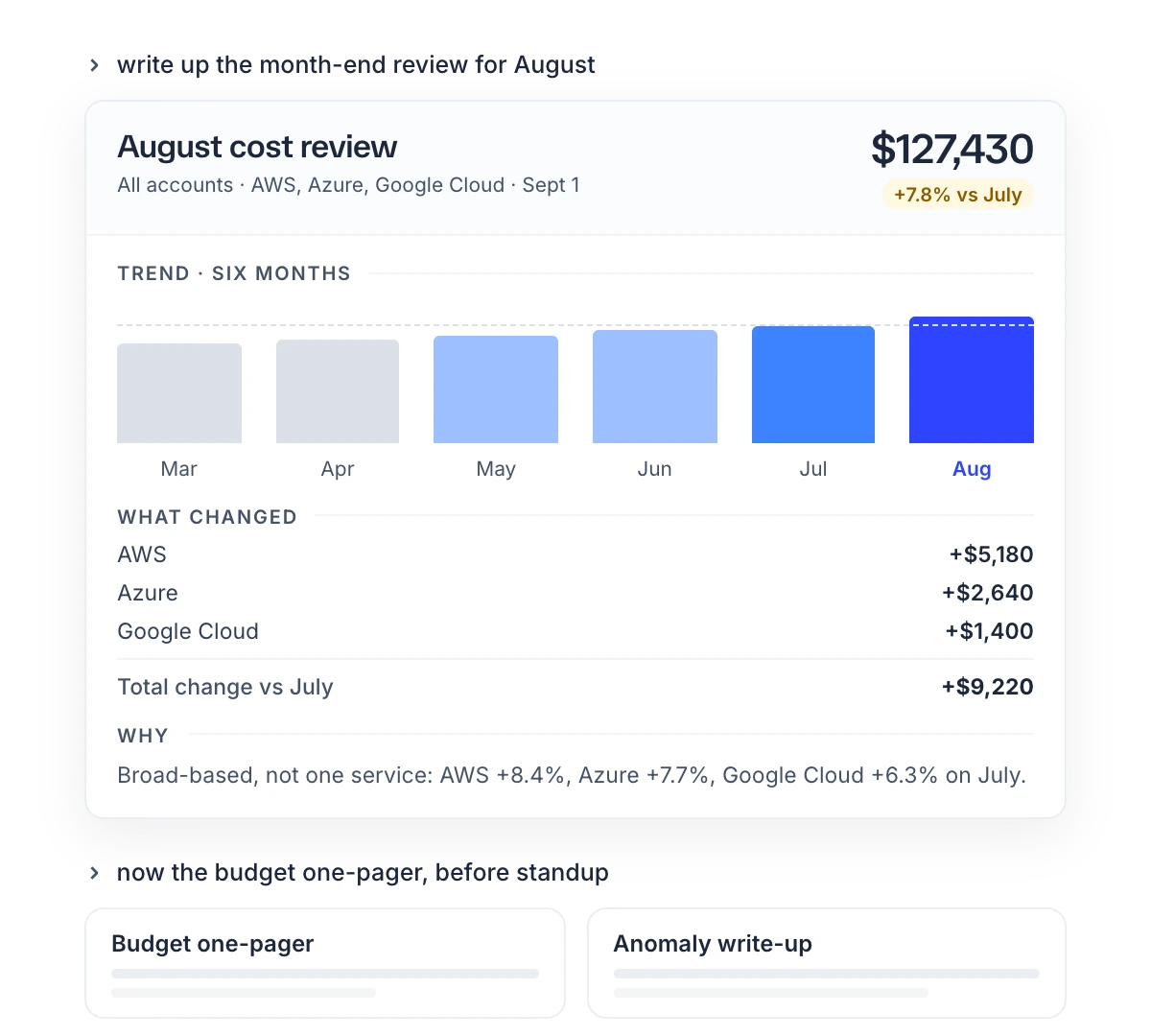
- "Pull August spend, budgets, anomalies and open savings, and build a review for the leadership team."
- "Show budget burn as of today, worst first, and flag anything over 90%."
- "Chart daily spend for this account around the 29th, mark the anomaly, and summarize what changed."
Prompting guidelines
| Guideline | Reason |
|---|---|
| Specify a date range. | Without one, a default of typically 30 to 90 days is used. |
| Specify a cloud provider to limit results to one provider. | Without one, results include all connected providers. |
| Start the prompt with "Using CloudYali, …" when other tools are enabled. | Ensures the assistant queries CloudYali instead of another tool or web search. |
| Ask for available filter values before filtering. | Prevents mismatched account, service or tag names. |
| Ask follow-up questions in the same conversation. | The assistant retains context from earlier results. |
| Reconnect if an authentication error occurs. | Connections expire after up to 45 minutes. |
Interpreting results
- Empty results. A filter that matches nothing and a period with no cost both return an empty result. Ask the assistant which filters it applied.
- Differences from the console. The underlying data matches the CloudYali console. Differences come from the assistant's choice of grouping, date range or cost type. Verify figures before sharing them.